
Quotes and Sales Orders That Show Your Profit
Know what a job will earn while you can still change the price.
In The Business Assistant™, a quote becomes a sales/service order, then an invoice, then a payment. Nothing is retyped, and each step carries the cost, margin and status forward.
Profit on every quote
As you add lines, the quote shows cost, profit, markup and margin. You see the real numbers before the customer does, and you can adjust the price on the spot.
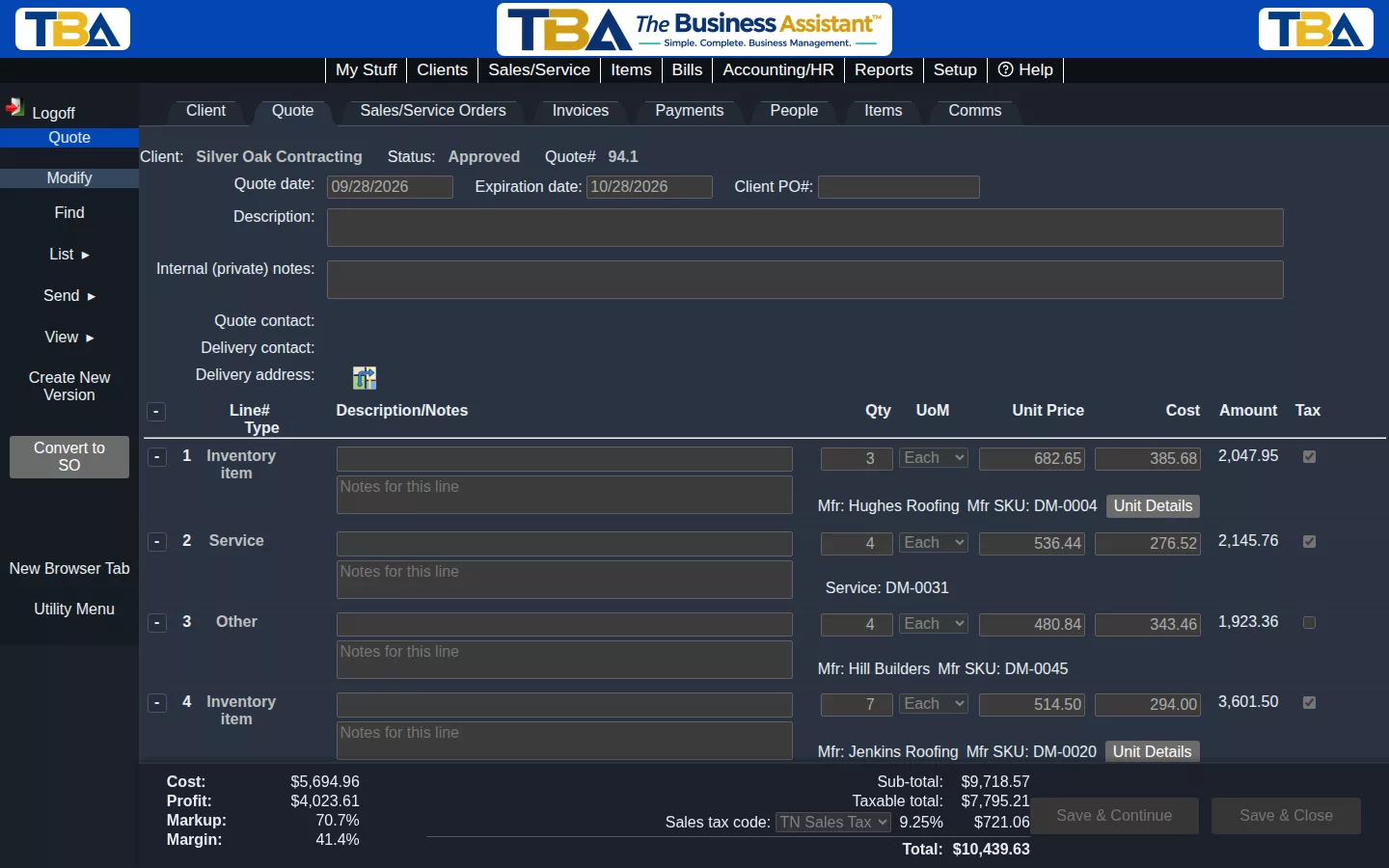
What is included
Quotes
- Line-item quotes with cost, profit, markup and margin
- Email a quote to your customer straight from the system
- Collapse and expand line groups to keep long quotes readable
- Pick specific in-stock units for a line when it matters
Sales and service orders
- Turn an approved quote into an order with one action
- Allocate stock from specific lots to the order
- Track order status and communications with the customer
- Email orders and print them
Invoices
- Create an invoice from an order without retyping
- Cost, margin and payment status in one view
- Posts to your general ledger automatically
- Sales tax applied by delivery method and location
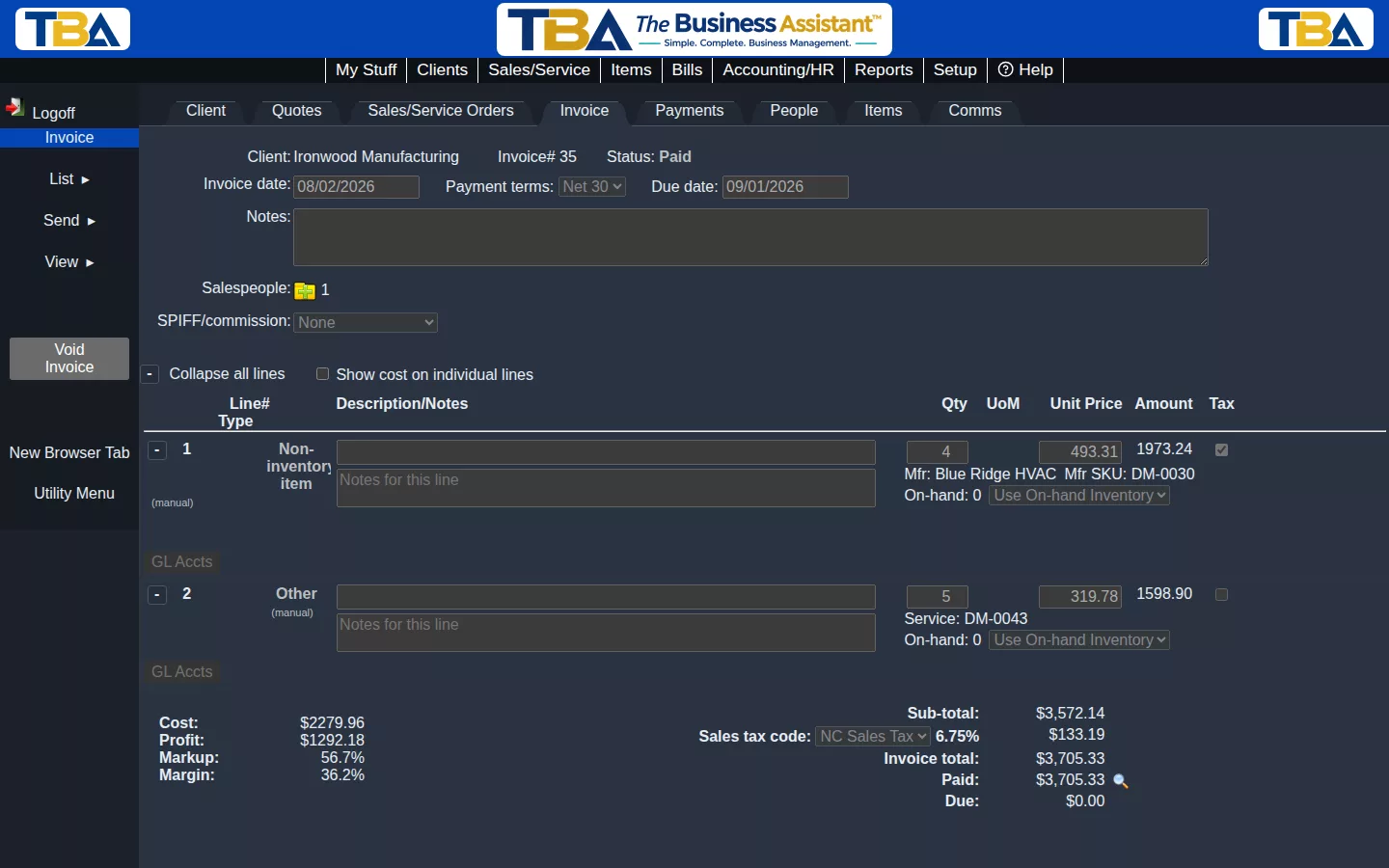
From quote to paid invoice
Because quotes, orders, invoices and payments live in one system, you can always see where a job stands and what it earned. Customer statements and sales tax tracking come with it.
See it for yourself
Start now and pay half price for your first 3 months.