
Accounting and Reports for Small Business: Books That Tie Out
Real books, and reports that tie out.
Every sale, bill, payment and deposit in The Business Assistant™ posts to a double-entry general ledger. Your financial statements come from the same entries, so they agree with each other.
See where you stand, and where you are headed
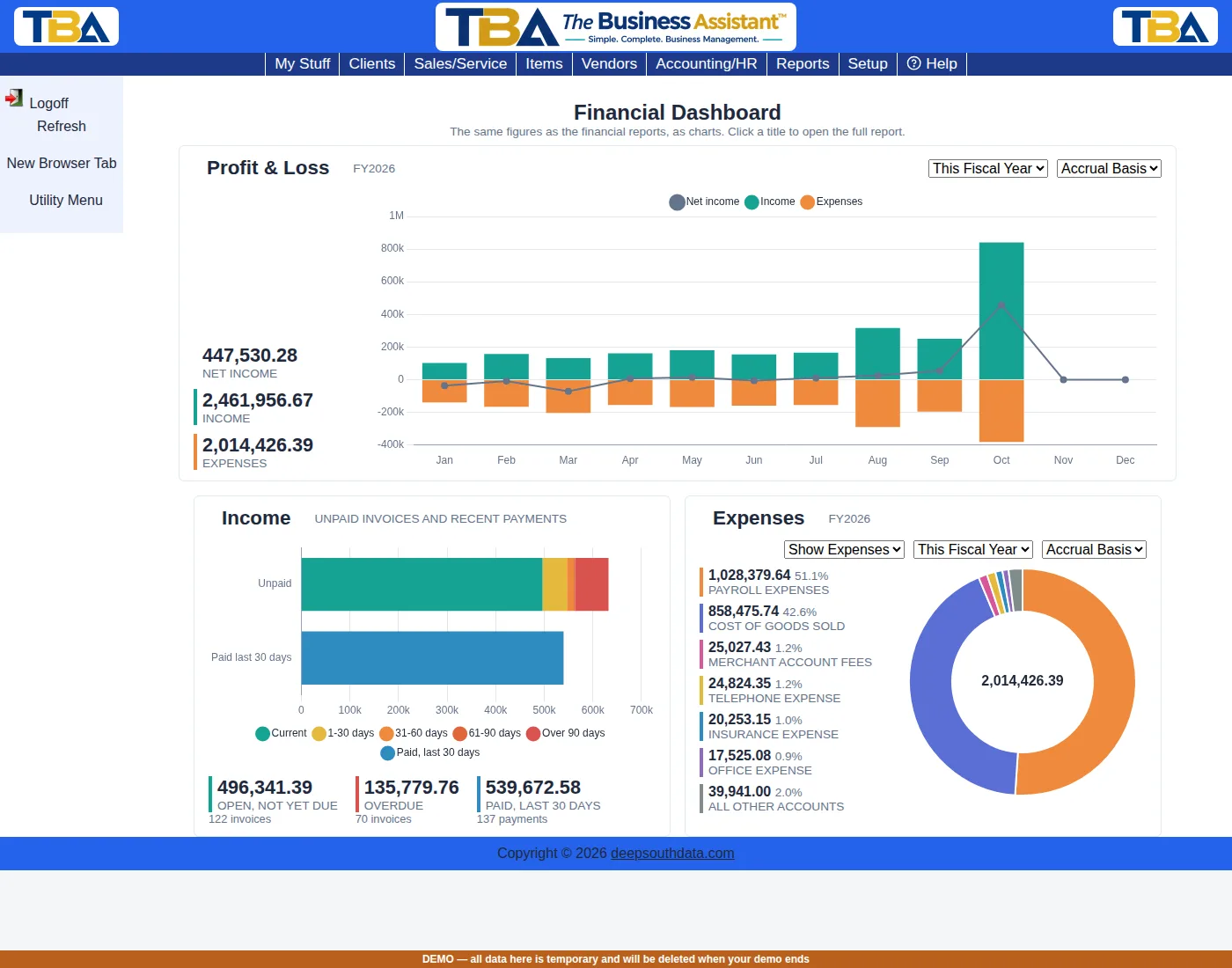
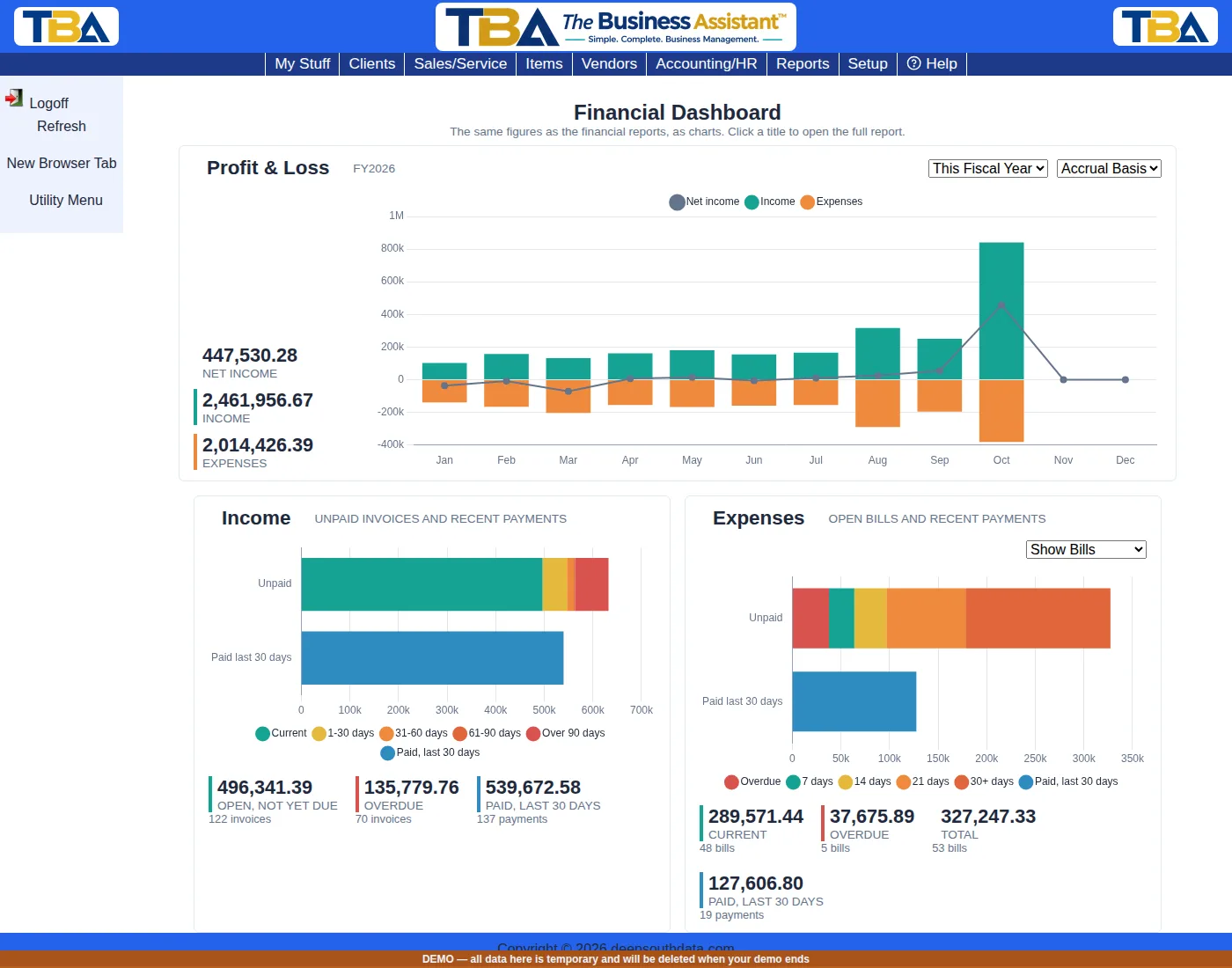
Financial Dashboard
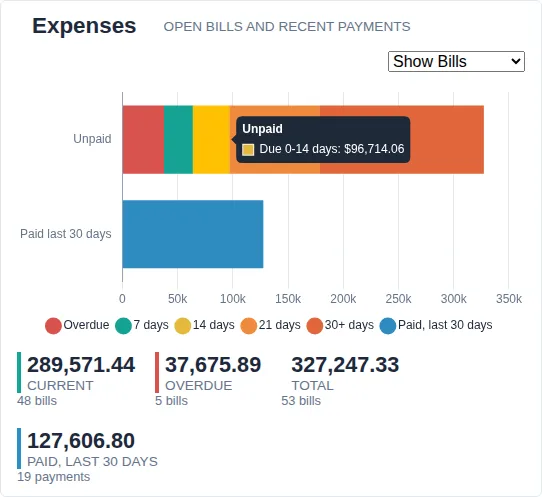
Charts of your profit and loss by month, your unpaid invoices and recent payments, and your expenses or open bills. They show the same figures as your financial reports. Switch between accrual and cash basis, choose this fiscal year, last fiscal year or the last 12 months, and click a chart’s title to open the full report. Point at any segment for the exact amount.
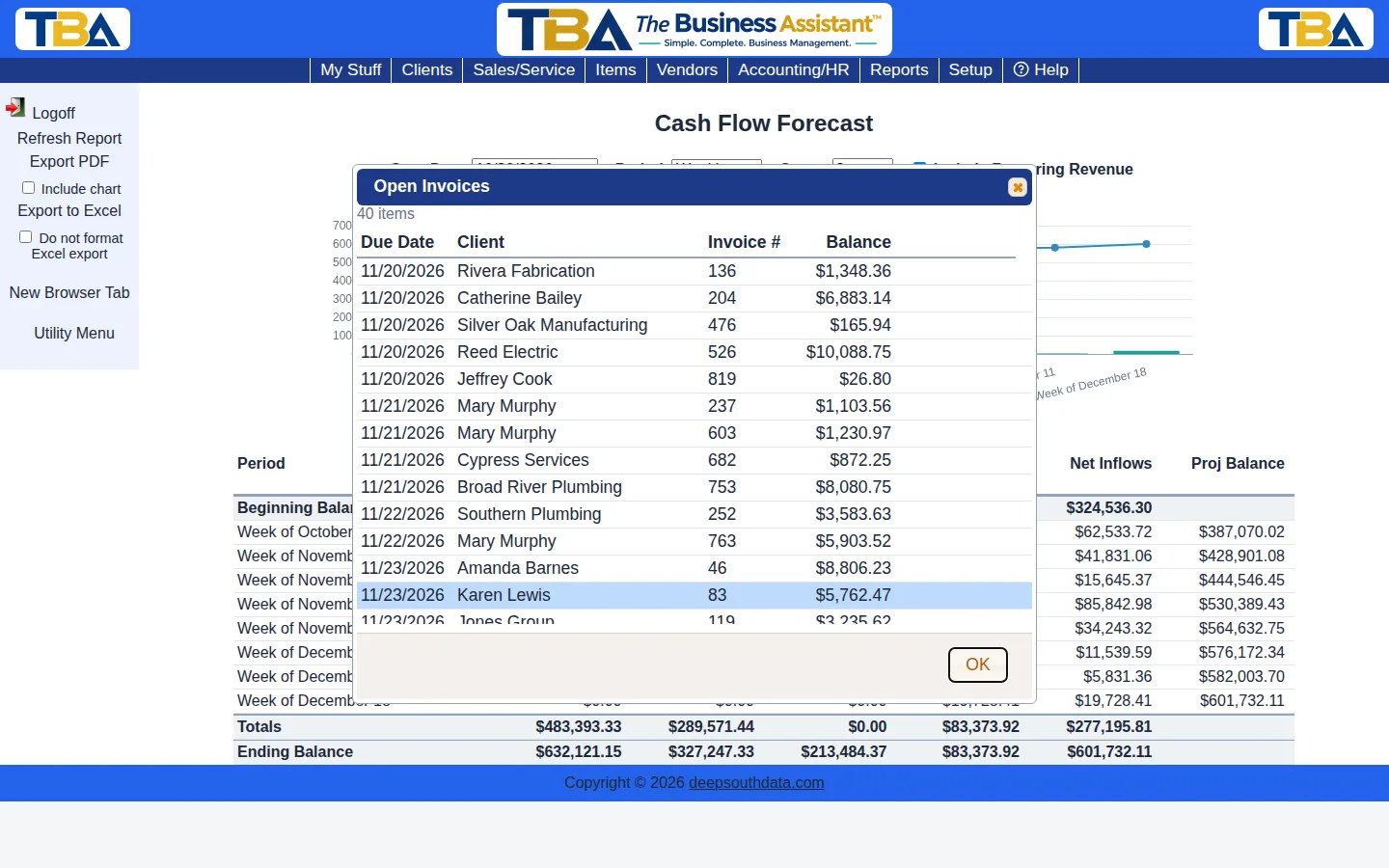
Cash Flow Forecast
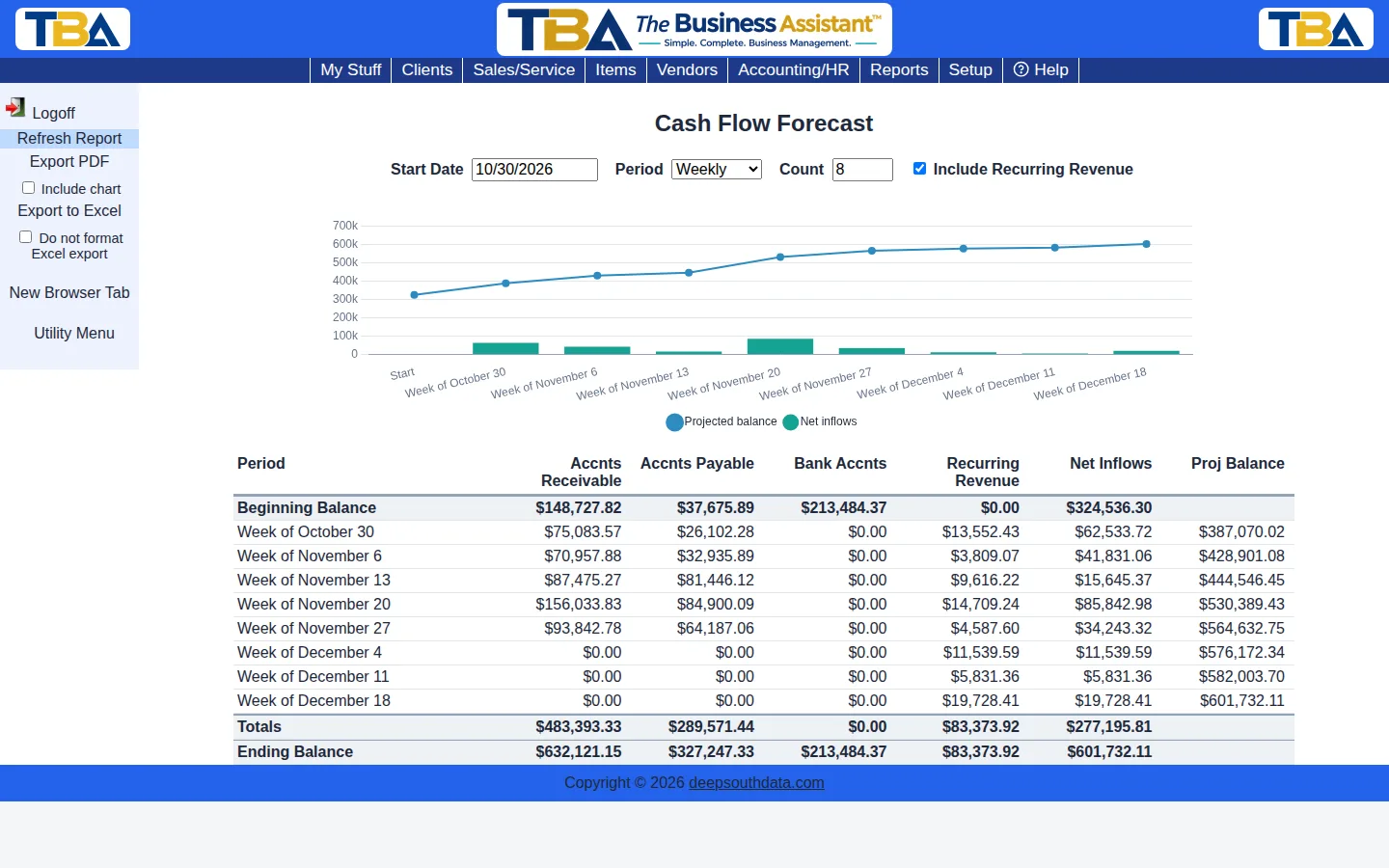
Project your cash position week by week, every two weeks or month by month, in a chart and a table. The forecast is built from the invoices due to you, the bills you owe, your recurring revenue and your bank balances. Click any figure to see the invoices and bills behind it, and export the forecast to PDF or Excel.
Financial statements
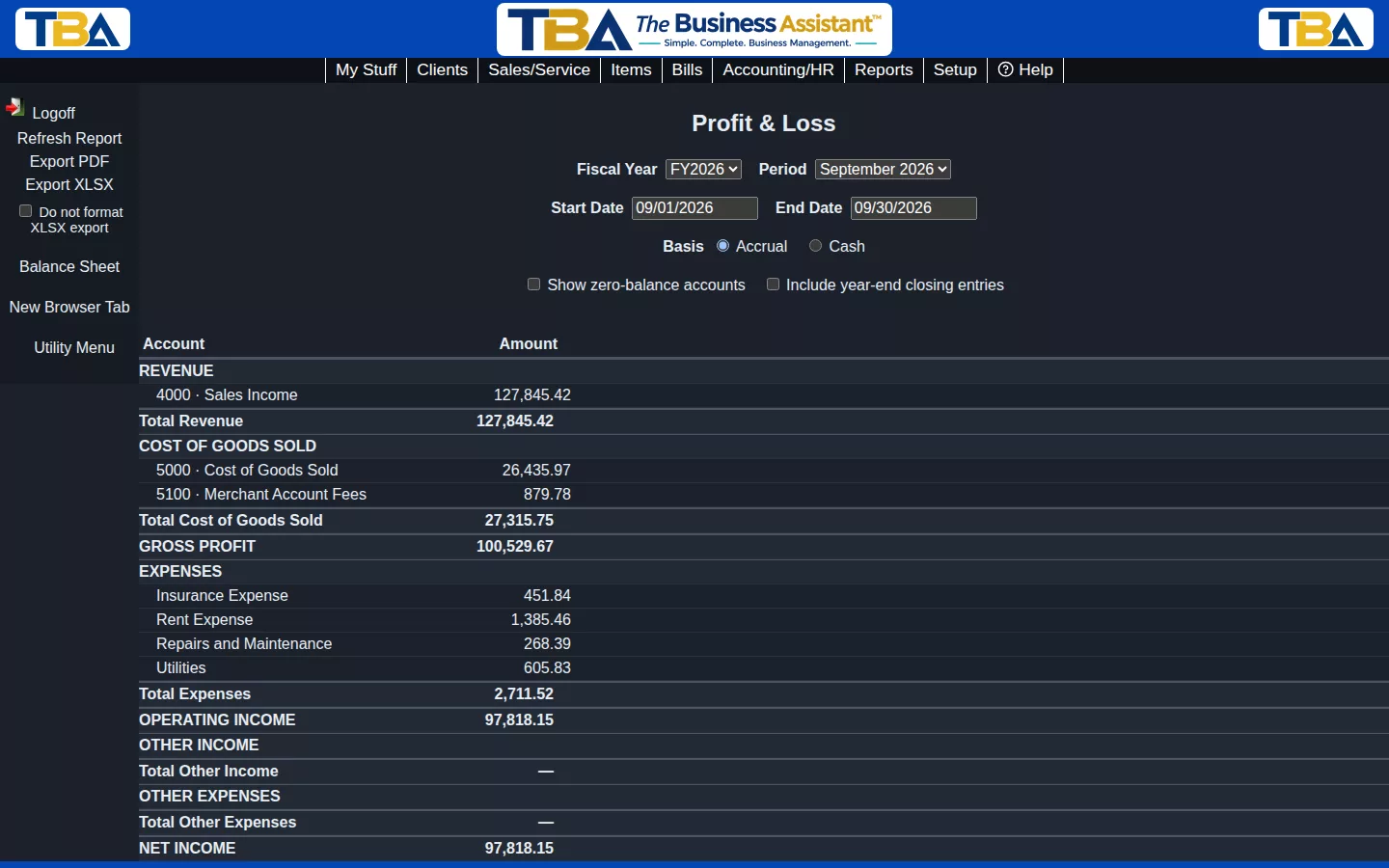
- Trial balance, balance sheet, profit and loss and cash flow statement
- Switch between accrual and cash basis
- Drill down from any total to the transactions behind it
- Export any report to PDF or Excel in one click
Day-to-day accounting
Receivables and payables
AR and AP aging with drill-down, so you know who owes you and whom you owe.
Bank and card reconciliation
Upload your bank or credit card file (OFX, QFX, QBO, BAI2 or CSV) and each transaction is matched to your books. Then reconcile to your statement, and save a reconciliation in progress to finish later.
Fixed assets
Convert a purchase to a fixed asset and run straight-line depreciation.
Sales tax
Sales tax liability by agency on a cash basis, and sales by state with nexus thresholds.
Year-end close
Close the fiscal year and carry profit and loss into retained earnings.
Sales analysis
Sales summaries by item type and department, with drill-down.
Reports your way, with help when you need it
Your Reports menu is yours to arrange. Drag tiles into the order you like, add your own for the reports you run most, and choose the icons and colors that suit you. Every report page has a Help for This Page choice that opens a step-by-step article beside your work.
Switching from QuickBooks?
Import your chart of accounts and history from QuickBooks, review the mapping before anything loads, and compare our reports with yours. See how switching works.
Books you can trust
Start now and pay half price for your first 3 months.