
QuickBooks is the default choice for small-business accounting, and for many companies it is a good one. But if you also quote jobs, track stock, bill customers on a schedule and count hours, you probably have QuickBooks plus two or three other tools stitched together. This page compares The Business Assistant™ (TheAsst.com) with QuickBooks so you can decide which fits how you actually work.
The short version
- Choose QuickBooks if you want a bookkeeping-first tool, you work closely with an accountant who already lives in it, and your quoting, inventory and time tracking needs are light or handled by other apps you are happy with.
- Choose The Business Assistant if you want quotes, sales orders, inventory, purchasing, invoicing, time tracking and double-entry accounting in one system, so nothing is retyped and every transaction posts to the books automatically.
Side-by-side comparison
| Area | The Business Assistant | QuickBooks |
|---|---|---|
| Quote to cash | Quote → sales order → invoice → payment in one flow; cost, profit, markup and margin carried through every step | Estimates and invoices; deeper job costing and order management often need add-ons or higher tiers |
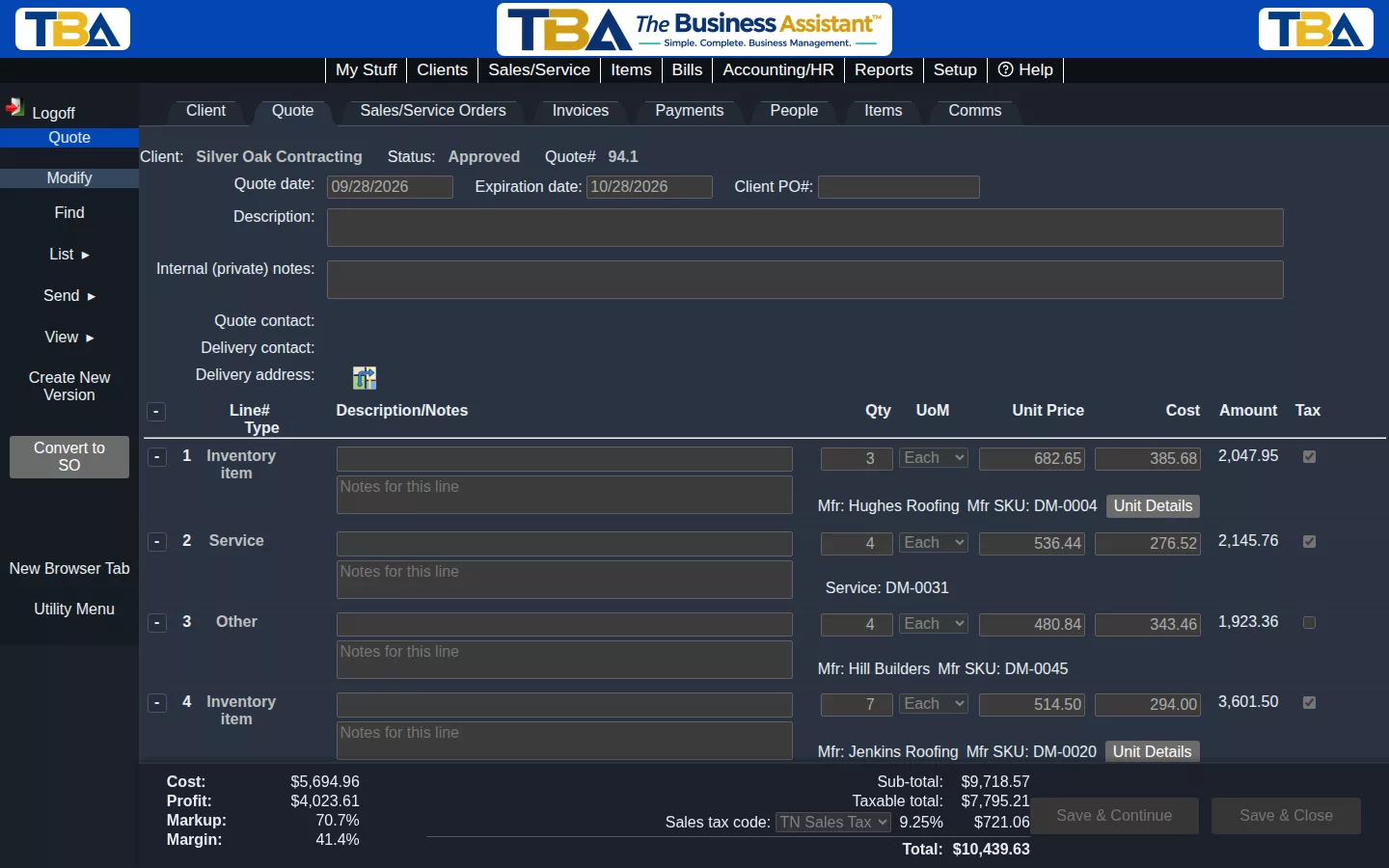
| Profit while quoting | Cost, profit, markup and margin update on screen as you build the quote | Typically reviewed in reports after the fact |
| Inventory | Lot-by-lot tracking tied to purchase orders, bills and sales | Depends on the edition and plan; advanced inventory is usually a higher tier or an add-on |
| Recurring billing | Recurring invoices that create themselves and charge the customer’s saved card | Recurring invoices available; card charging depends on payment setup |
| Time tracking | Built-in timeclock, kiosk for the shop floor, timesheet reports | Time tracking is generally a paid add-on or separate app |
| Accounting | Double-entry GL, accrual and cash basis, aging, financial dashboard, cash flow forecast, year-end close | Strong core accounting and a very large accountant ecosystem |
| Reports | PDF and Excel export on every report | Broad report library; export options vary |
| Security and access | Multi-factor sign-in and permission profiles for every area | Roles and permissions vary by plan |
| Pricing model | Concurrent users: only people logged in at the same time count | Per-user seats, with the number of users set by your plan tier |
| Support | US-based support included with every plan | Support options depend on plan |
QuickBooks features and plans change often and differ between QuickBooks Online and QuickBooks Desktop. Confirm current details on Intuit’s own site before deciding.
Where The Business Assistant is different
Know your profit before you send the quote
As you add lines to a quote, the summary shows cost, profit, markup and margin. You see what a job will really earn while you can still change the price.
One system from quote to paid invoice
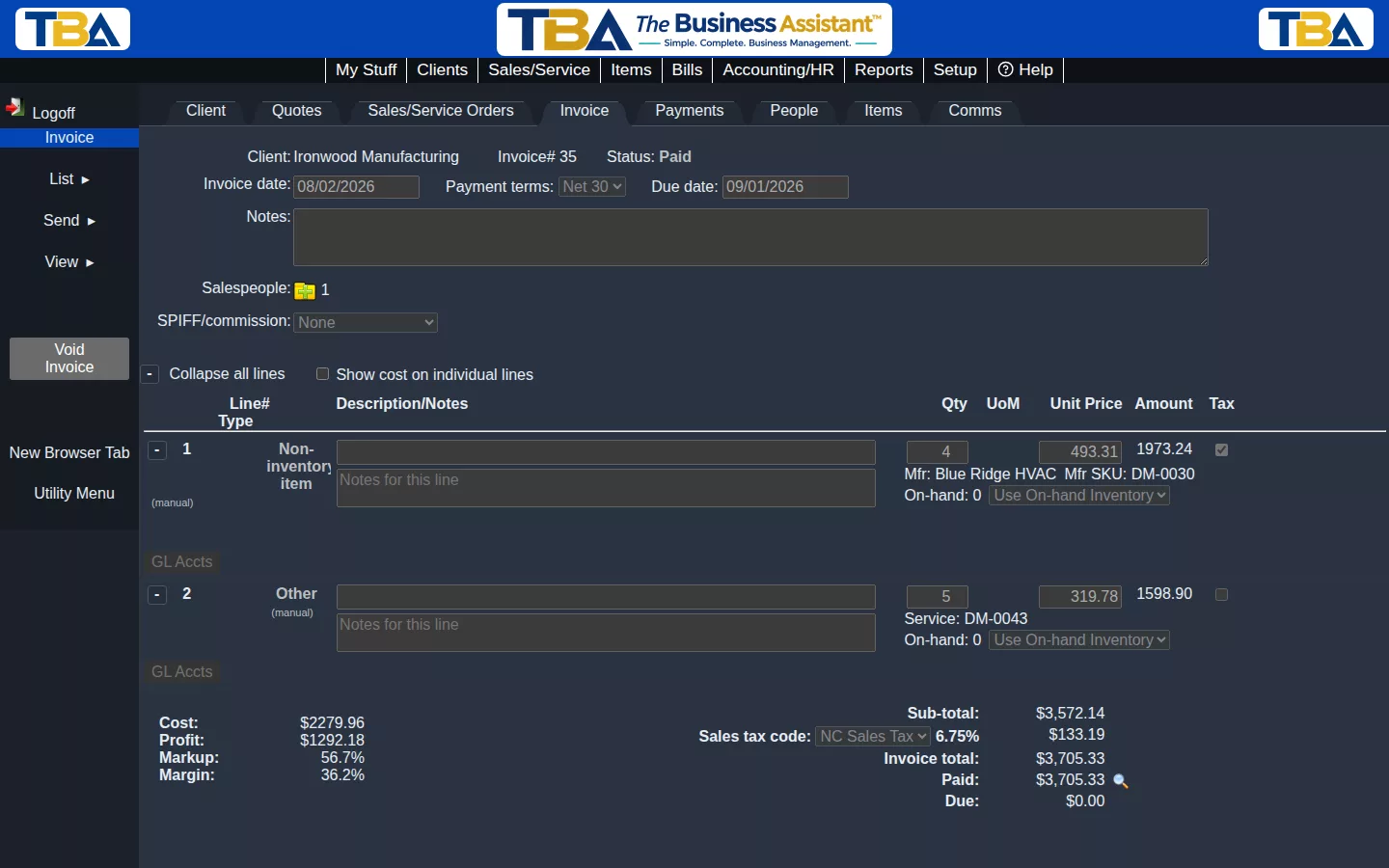
An approved quote becomes a sales order, then an invoice, then a payment. Cost, margin and status carry forward and every step posts to your general ledger. Nothing is retyped between tools.
Real accounting, real reports
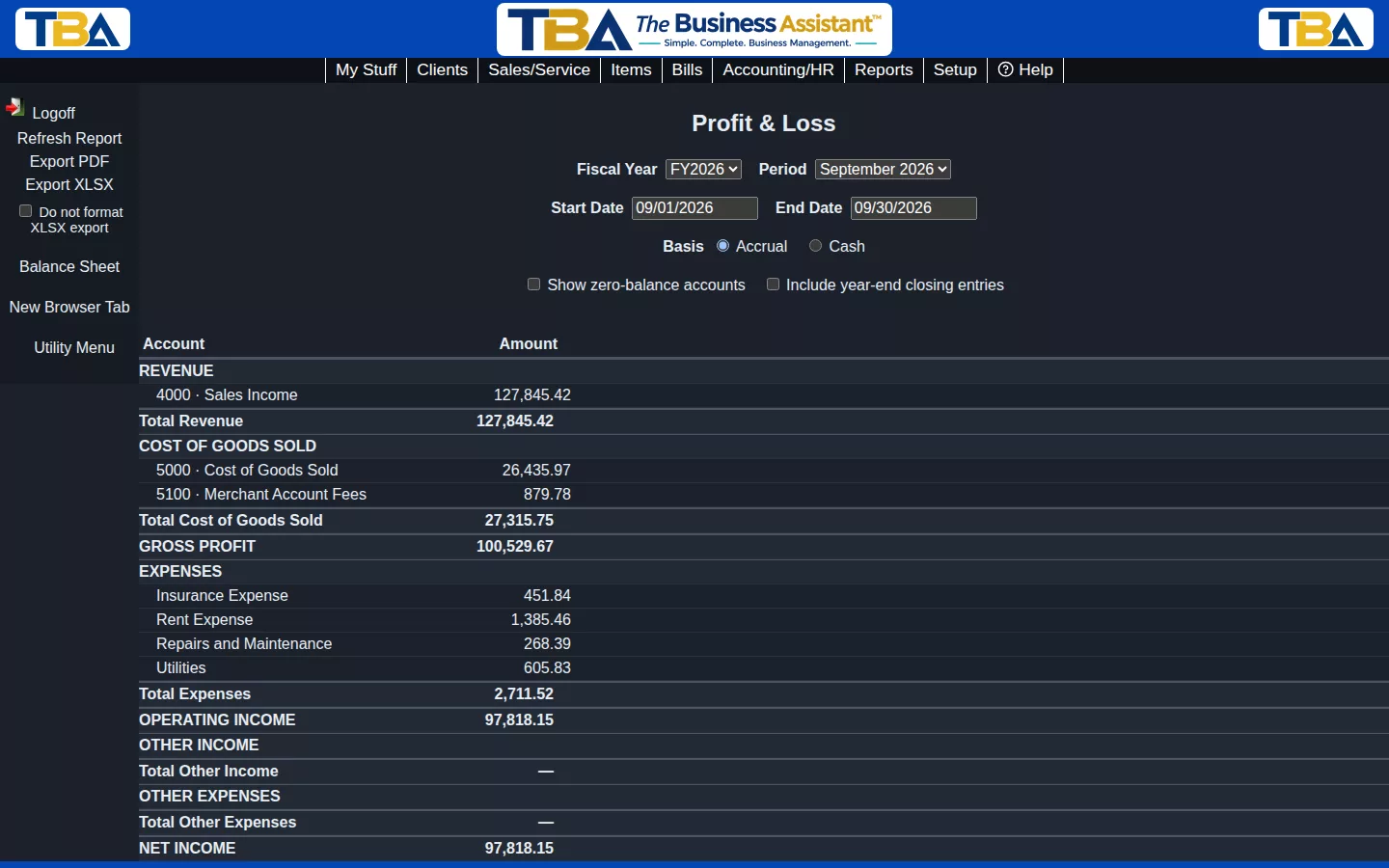
Double-entry books, accrual or cash-basis reporting, aging, cash flow forecasting and year-end close, with PDF and Excel export on every report.
Pay for people working, not names on a list
Our plans count concurrent users, the people logged in at the same moment. Standard is $75 a month for up to 3 concurrent users, plus $15 for each additional one, and you pay half price for your first 3 months. A part-time bookkeeper, a warehouse lead and an owner who each log in for an hour a day do not each need a seat. See pricing.
Where QuickBooks may be the better fit
We would rather you pick the right tool. QuickBooks is likely the better choice if your accountant requires it, if you rely on a specific third-party app that only integrates with QuickBooks, or if your needs are simple bookkeeping with no inventory, quoting or time tracking. If you are unsure, try the free demo and compare.
Moving from QuickBooks
You do not start over. Our guided import brings across your chart of accounts, customers, vendors, items and transaction history, and you review how each field maps before anything is loaded. Compare our reports with your current ones before you go live. Because of how QuickBooks stores some transactions, a few manual adjustments may be needed. Read the full walkthrough on Switch from QuickBooks.
Frequently asked questions
Is The Business Assistant a QuickBooks replacement?
For businesses that run quoting, sales, purchasing, inventory, billing, time tracking and accounting together, yes. It is a complete accounting and operations system, not an add-on to QuickBooks.
Can I import my QuickBooks data?
Yes. The guided import brings over your accounts, customers, vendors, items and history, and shows you the mapping before anything is loaded.
How does concurrent-user pricing work?
Only the people logged in at the same time count toward your plan. Standard includes up to 3 concurrent users.
See it with your own eyes
Start now and pay half price for your first 3 months.
QuickBooks is a registered trademark of Intuit Inc. TheAsst.com and The Business Assistant™ are not affiliated with or endorsed by Intuit.