
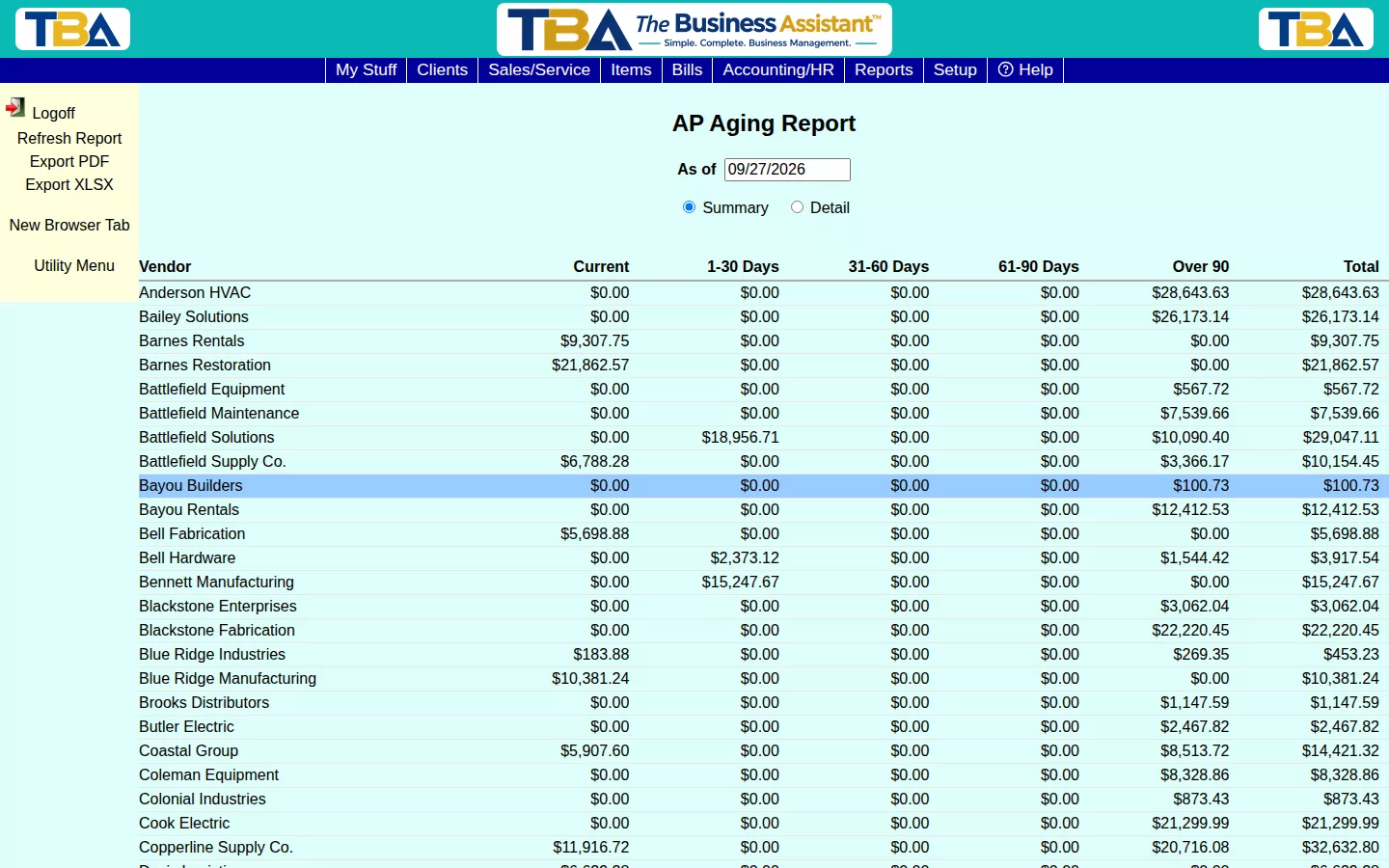
The AP Aging report mirrors AR Aging, but for what you owe — every vendor’s balance broken into Current, 1-30, 31-60, 61-90, and Over 90 day buckets.
Using It #
Set the As of date and click Refresh Report. Toggle Summary (one line per vendor) or Detail (every open bill listed separately). Unlike some reports, AP Aging has no site filter — it’s always company-wide.
The Columns #
- Summary — Vendor, Current, 1-30 Days, 31-60 Days, 61-90 Days, Over 90, and Total. Click a vendor to see its open bills.
- Detail — one line per open bill: Vendor, Bill #, Bill Date, Due Date, Amount, Paid, Balance, Bucket, and a Running Total.
Buckets count days past each bill’s due date, which comes from the vendor’s payment terms. Vendor credits reduce what you owe. To pay what is due, use the Bills to Pay list in Bill Payments; open bills are on Bills. Export PDF and Export XLSX save a copy.


