
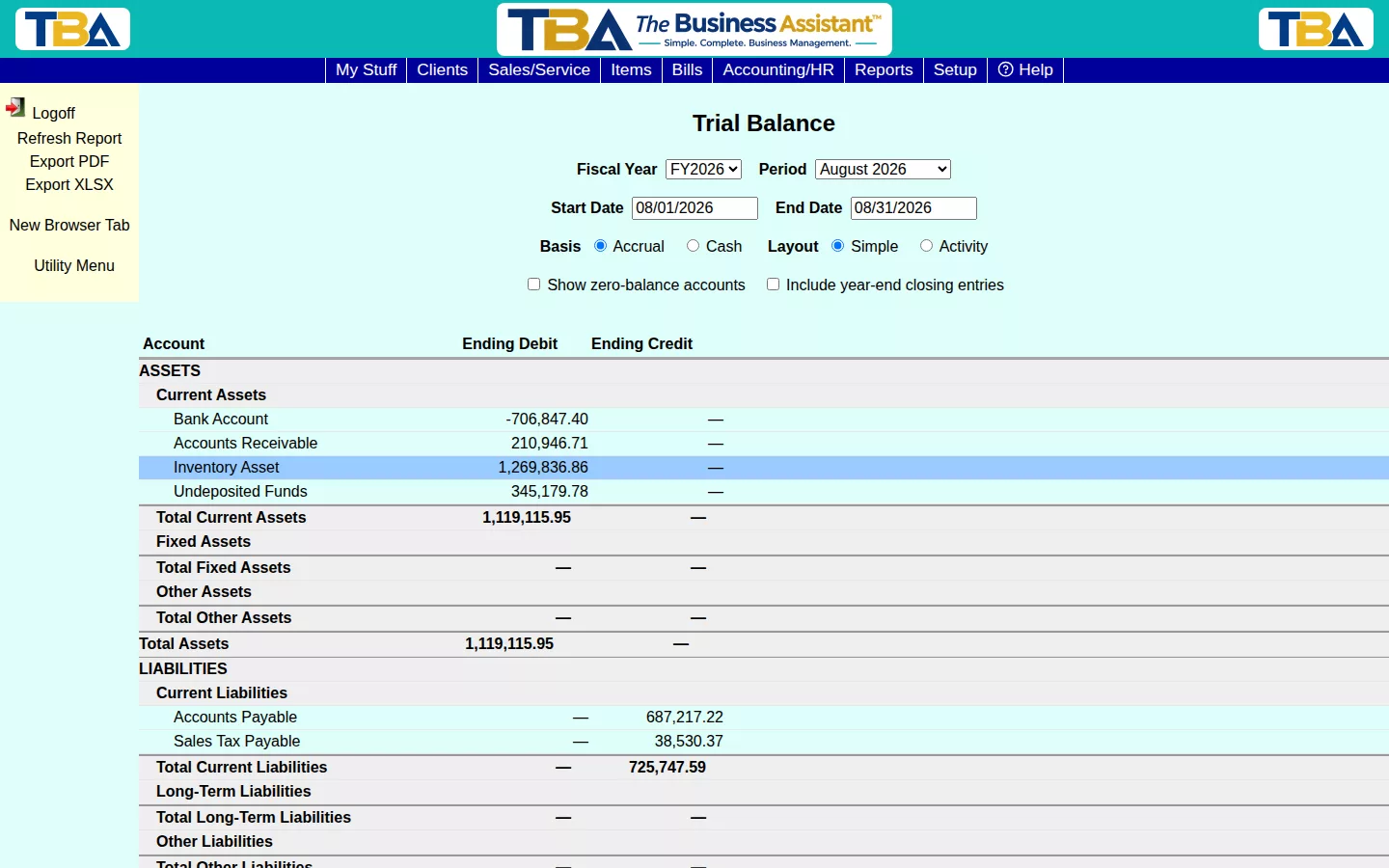
The Trial Balance lists every G/L Account with its ending debit or credit balance for the selected period — the classic starting point for closing the books.
Options #
Pick a Fiscal Year and Period, or a custom Start/End Date. Choose Accrual or Cash basis, and Simple or Activity layout. Check Show zero-balance accounts to include accounts with nothing posted, or Include year-end closing entries to fold in Year-End Closing entries.
Reading the Columns #
- Simple layout — one pair of columns: each account’s Ending Debit or Ending Credit balance at the end of the period.
- Activity layout — adds Beg Debit / Beg Credit (the balance carried in), Period Dr / Period Cr (what posted during the period), and then the ending balance. Use it to see what moved, not just where each account landed.
Total debits always equal total credits; if they ever don’t, something is wrong with the books.
Accrual or Cash #
Accrual counts income when you invoice and expenses when you are billed. Cash counts them when the money actually moves. The same choice appears on the Balance Sheet and Profit and Loss.
Sites #
If you have more than one site, choose All Sites, Single Site, or Custom (tick exactly the sites to include).
Drilling Down #
Click any account to see every General Ledger line that makes up its balance for the period, and click a line to open the entry behind it.
Exporting #
Use Export PDF or Export XLSX in the sidebar to save a copy.


