
Default G/L Settings picks which G/L Accounts TBA uses automatically for routine transactions — item sales, receivables, payables, sales tax, and banking. Most of these can still be overridden per item if needed.
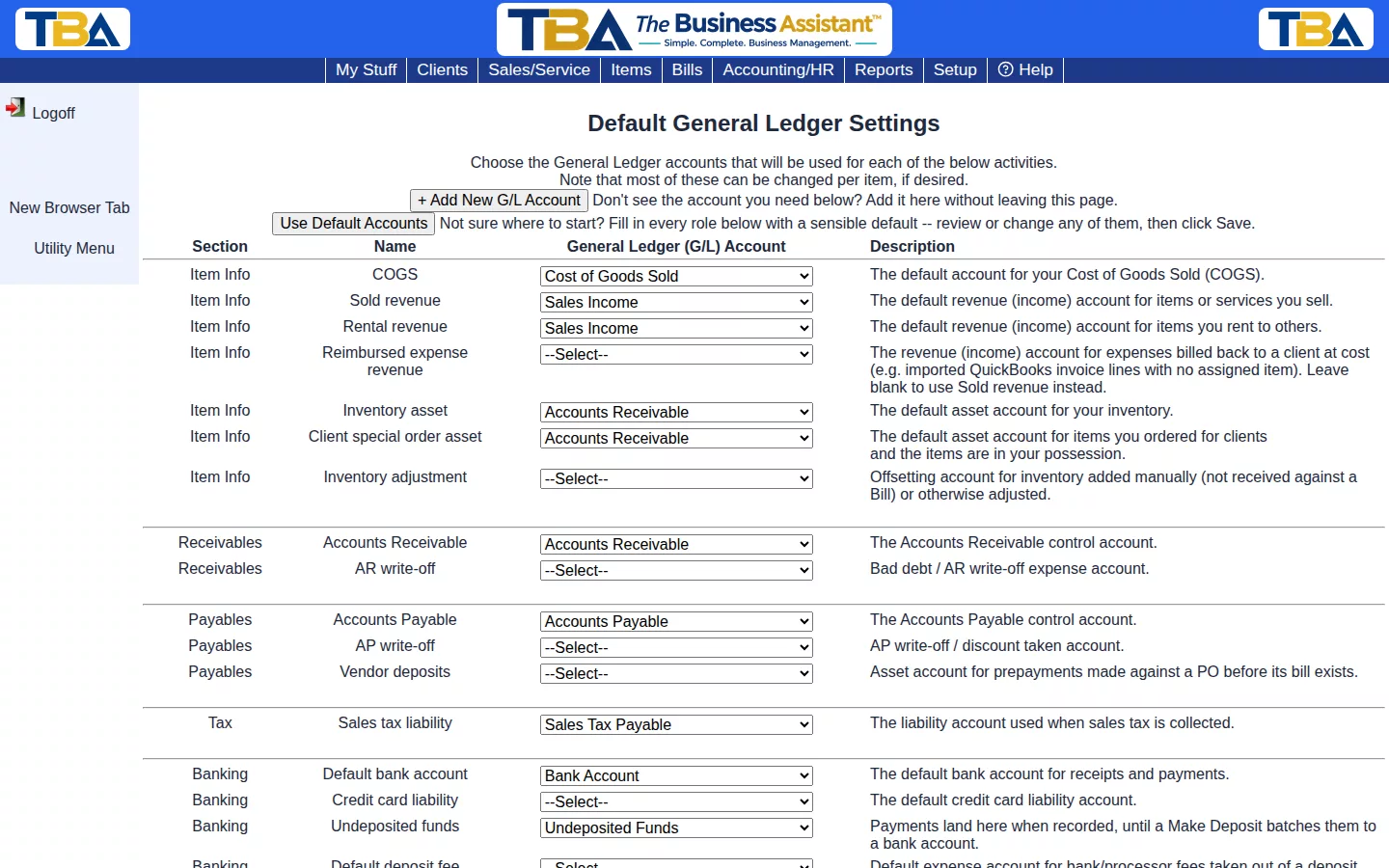
Getting Started #
Click Use Default Accounts to fill in every role with a sensible default in one click, then review or change any of them before saving. If an account you need doesn’t exist yet, click + Add New G/L Account to create it without leaving the page.
Key Roles #
- Item Info — COGS, sold/rental revenue, inventory asset, inventory adjustment.
- Receivables / Payables — the AR/AP control accounts, plus write-off accounts.
- Tax — the sales tax liability account.
- Banking — your default bank account, credit card liability, and Undeposited Funds (where client payments land until Deposits batches them to the bank).
Every Setting #
The page is a table: Section, Name, the G/L Account to choose, and a Description. Pick an account for each row and click Save. Refresh Data in the sidebar reloads the account lists after you add accounts elsewhere. Open the full chart of accounts shows G/L Accounts in a new window.
Item Info #
- COGS — Cost of Goods Sold, the default expense when you sell an item.
- Sold revenue — the default income account for items and services you sell.
- Rental revenue — the default income account for items you rent out.
- Reimbursed expense revenue — income for expenses billed back to a client at cost (for example imported QuickBooks invoice lines with no item). Leave blank to use Sold revenue.
- Inventory asset — the default asset account for stock on hand.
- Client special order asset — the asset account for items you ordered for a client and now have in your possession.
- Inventory adjustment — the offsetting account for inventory added manually (not received on a Bill) or otherwise adjusted.
Receivables and Payables #
- Accounts Receivable and Accounts Payable — the control accounts that invoices and bills post to.
- AR write-off — the bad debt expense account. AP write-off — where write-offs and discounts taken on bills go.
- Vendor deposits — an asset account for prepayments you make against a PO before its bill exists.
Tax, Banking, and Year-End #
- Sales tax liability — where collected sales tax is recorded.
- Default bank account and Credit card liability — the defaults for receipts and payments.
- Undeposited funds — where client payments wait until a Deposit batches them to the bank.
- Default deposit fee account — the expense account for bank or processor fees taken out of a deposit. Default Connect fee account — the same for Stripe fees when you reconcile a payout (see Payment Processing).
- Retained earnings — used by the year-end closing entry (see Fiscal Year and Year-End Closing).
- Unearned revenue — the liability account for deferred revenue.
Miscellaneous (how reports look) #
- Show negative amounts — Yes shows negatives with a sign; No shows the amount in the opposite debit/credit column instead.
- Use parentheses — Yes shows negatives as (100.00); No uses a minus sign.
- Show page numbers — adds page numbers to the bottom of financial reports.
- Show/use GL account numbers — the company-wide default for whether account numbers appear throughout TBA. Each person can override it on their own preferences page.


