
Client Statements generates a billing statement showing what a client owes — for one client at a time, or the whole client list in one batch.
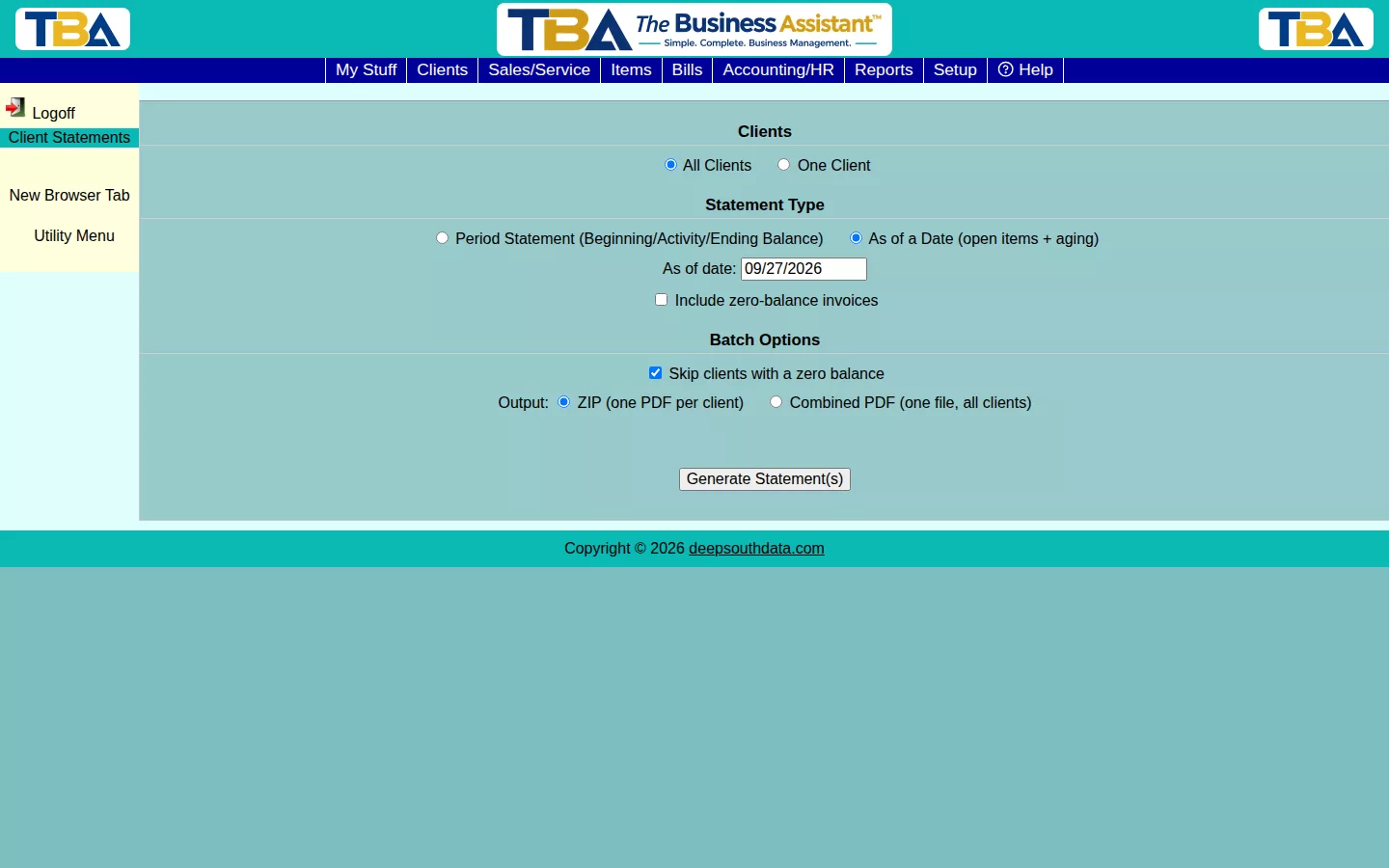
Statement Type #
- Period Statement — shows beginning balance, activity during the period, and ending balance.
- As of a Date — shows open items and their aging as of a specific date (like a mini AR Aging for one client).
Batch Options #
Generating for All Clients lets you Skip clients with a zero balance (on by default, since there’s rarely a reason to send a statement showing nothing owed) and choose the output: a ZIP with one PDF per client, or a single Combined PDF with every client’s statement together.
Click Generate Statement(s) when ready.
Every Option #
- Clients — All Clients or One Client (then choose which).
- Statement Type — Period Statement (Beginning/Activity/Ending Balance) uses a Period start and Period end; As of a Date (open items + aging) uses an As of date.
- Include zero-balance invoices — also lists invoices that are fully paid.
- Site — limit to one site (see Sites Setup).
- Batch Options (All Clients) — Skip clients with a zero balance, and the Output: a ZIP with one PDF per client, or one Combined PDF.
Emailing a Statement #
With One Client selected, Email Statement opens a dialog to pick recipients (the client’s email addresses and contacts, or your own), edit the subject and message, and send the PDF. The wording starts from the Client Statement template in General Options, and every email is recorded in the Email Log. You can also reach a statement from Client Statement in the Invoice List sidebar (see Invoices).
Refunds and Voided Payments on Statements #
Statements show the account as it was on the dates you choose, even when payments were later refunded or voided.
- “As of” statements show each invoice as paid, partly paid or open on that date, and any credit still unapplied on that date. A payment that was voided later still counts on dates before it was voided, and a refund made after the date has not happened yet on that date. Payments are counted on the payment’s own date, as before.
- Period statements list what happened inside the period, each item on the day it happened: the payment as received, a Refund to the card, a Refund by check/cash/ACH/credit card/other, a payment being voided, and a refund being voided. Refunds and voids appear in the Charge column because they put the money back on the client’s balance, so Beginning Balance plus the lines always equals the Ending Balance.
- A statement for one site shows only the part of each payment and refund that was applied to that site’s invoices.
The aging reports (AR Aging) are different by design: they show the invoices that are open now that were dated on or before the date you choose, rather than rebuilding the past.


