
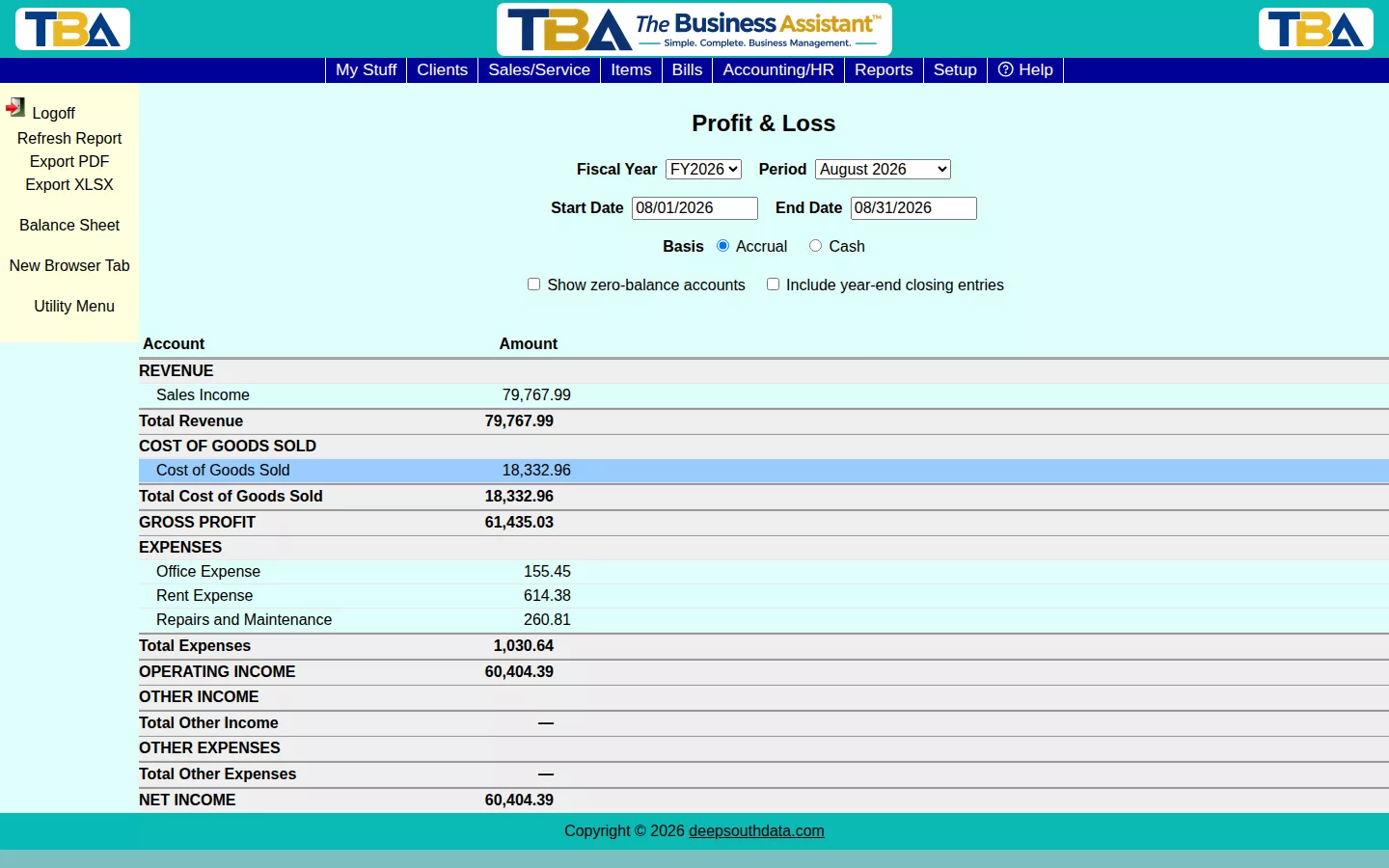
The Profit & Loss report (Income Statement) shows Revenue, Cost of Goods Sold, Gross Profit, Expenses, and Net Income for a period — the other core financial statement alongside the Balance Sheet.
Options #
Pick a Fiscal Year and Period, or a custom Start/End Date. Choose Accrual or Cash basis. Show zero-balance accounts includes accounts with nothing posted, and Include year-end closing entries folds in Year-End Closing entries.
Reading It #
Revenue, minus Cost of Goods Sold, is Gross Profit. Subtract Expenses (and add or subtract Other Income and Other Expense) to get Net Income. Which accounts fall where depends on each account’s type in G/L Accounts.
More Options #
- Basis — Accrual counts income when invoiced and expenses when billed; Cash counts them when money is received or paid.
- Site — All Sites, Single Site, or Custom (tick the sites to include).
- Include year-end closing entries — normally leave this off for a closed year, otherwise the closing entry zeroes out the very income and expenses you want to see.
Drilling Down and Exporting #
Click any account line to see the General Ledger activity behind it. Use Export PDF or Export XLSX to save a copy; the sidebar also jumps to the Balance Sheet.


