
Client View is the workspace you land in when you open a specific client from the Client List or after you save a new client. It’s where you’ll spend most of your day-to-day time working with that client’s quotes, orders, invoices, and more.
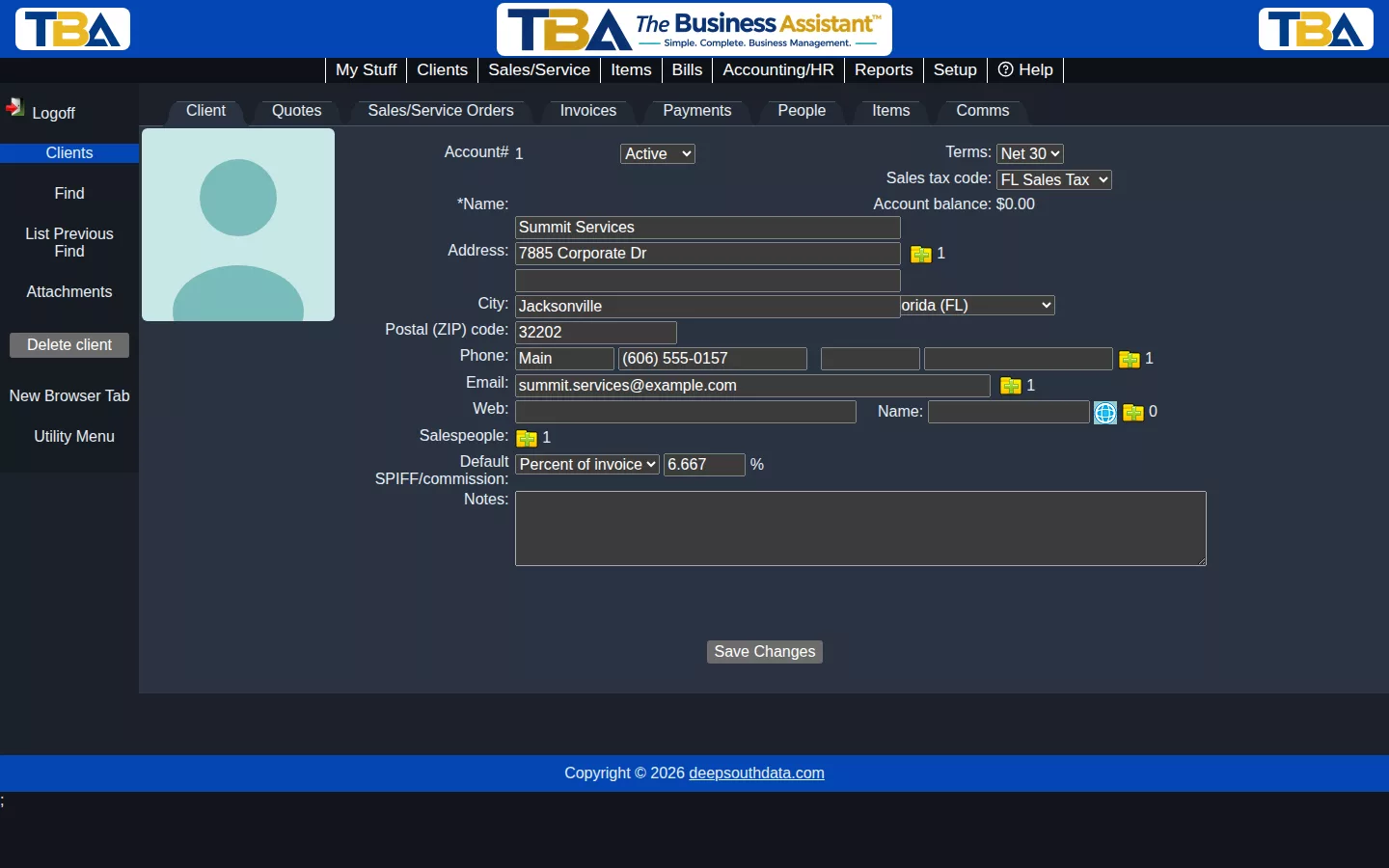
Every client record has the same eight tabs across the top. Click any tab to switch to it — you’ll stay on that same client the whole time.
Client #
The main tab, showing this client’s core information: name, address, contact details, sales tax code, payment terms, default salesperson commission, and notes. This is also where you’ll see the client’s current account balance.
Click here to view more detailed help for the client page.
Quotes #
Quotes you’ve written for this client. See the Sales/Service documentation for how quotes work.
Sales/Service Orders #
Open and completed sales/service orders for this client. See the Sales/Service documentation for how orders work.
Invoices #
Every invoice billed to this client. See the Sales/Service documentation for how invoicing works.
Payments #
Payments this client has made toward their invoices. See the Sales/Service documentation for how client payments work.
People #
The individual contacts who work for this client. Read more in Client People / Contacts.
Items #
Every item this client has ever purchased from you. Read more in Client Items.
Comms #
A log of every call, email, or meeting you’ve had with this client. Read more in Client Communications.


