
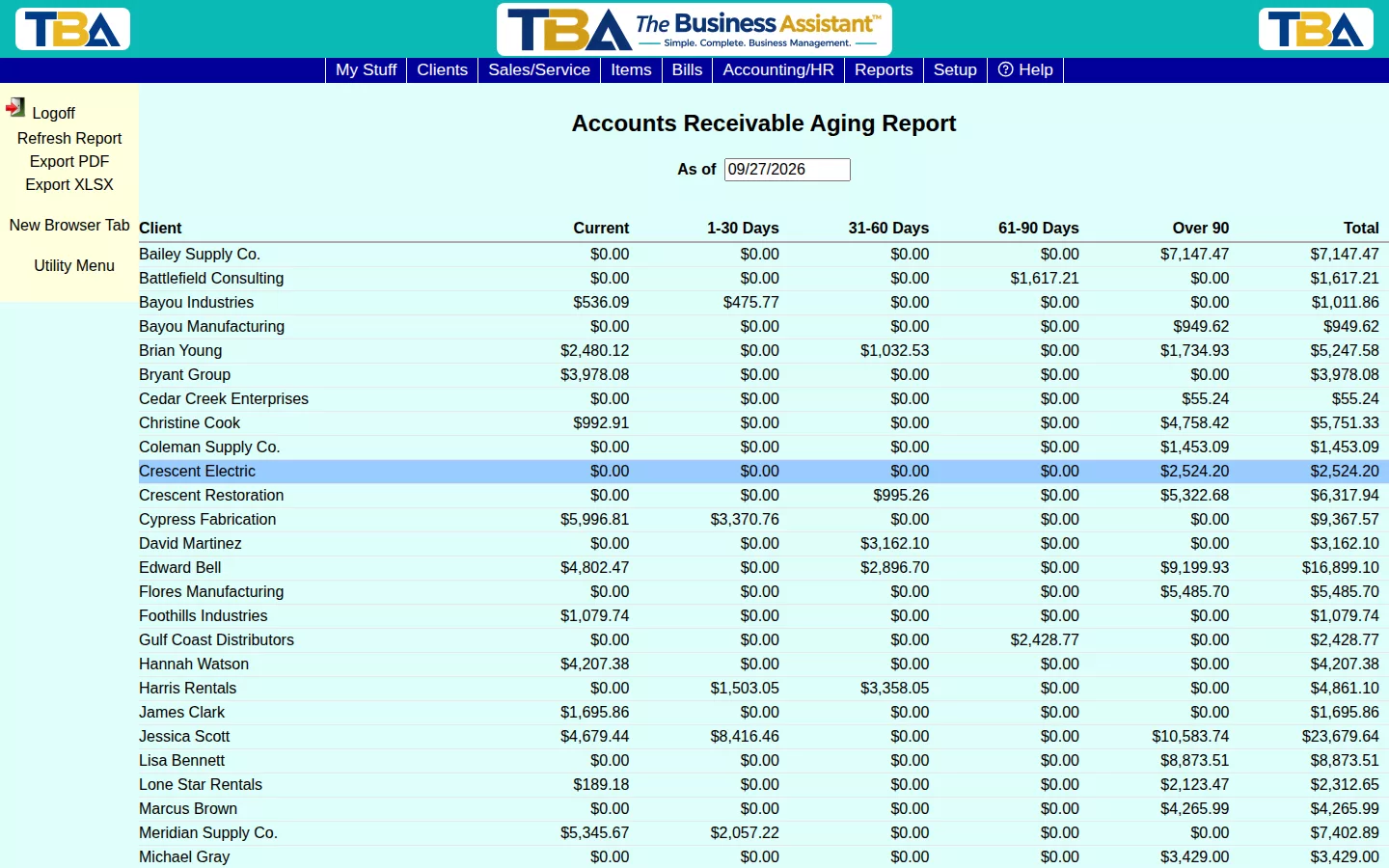
The AR Aging report shows what every client owes you, broken into Current, 1-30, 31-60, 61-90, and Over 90 day buckets based on invoice due date.
Using It #
Set the As of date and click Refresh Report. Each row is a client with a balance; click Export PDF or Export XLSX to save a copy.
Unapplied client credits are netted against what they owe, so the totals here reflect real outstanding balances — not just open invoice totals.
Options and Reading It #
- As of — the date the aging is measured from. An invoice is in Current if it isn’t yet due, and in the day buckets by how many days past its due date it is. Payment terms (see Payment Terms Setup) decide due dates.
- Site — limit to one site if you have several (see Sites Setup).
- Columns: Client, Current, 1-30 Days, 31-60 Days, 61-90 Days, Over 90, and Total.
Drilling Down #
Click a client to open their open invoices: Invoice #, Invoice Date, Due Date, Amount, Amount Paid, Balance, and which Bucket it falls in. Click an invoice to look at it (see Invoices). To send a client their balance, use Client Statements.


