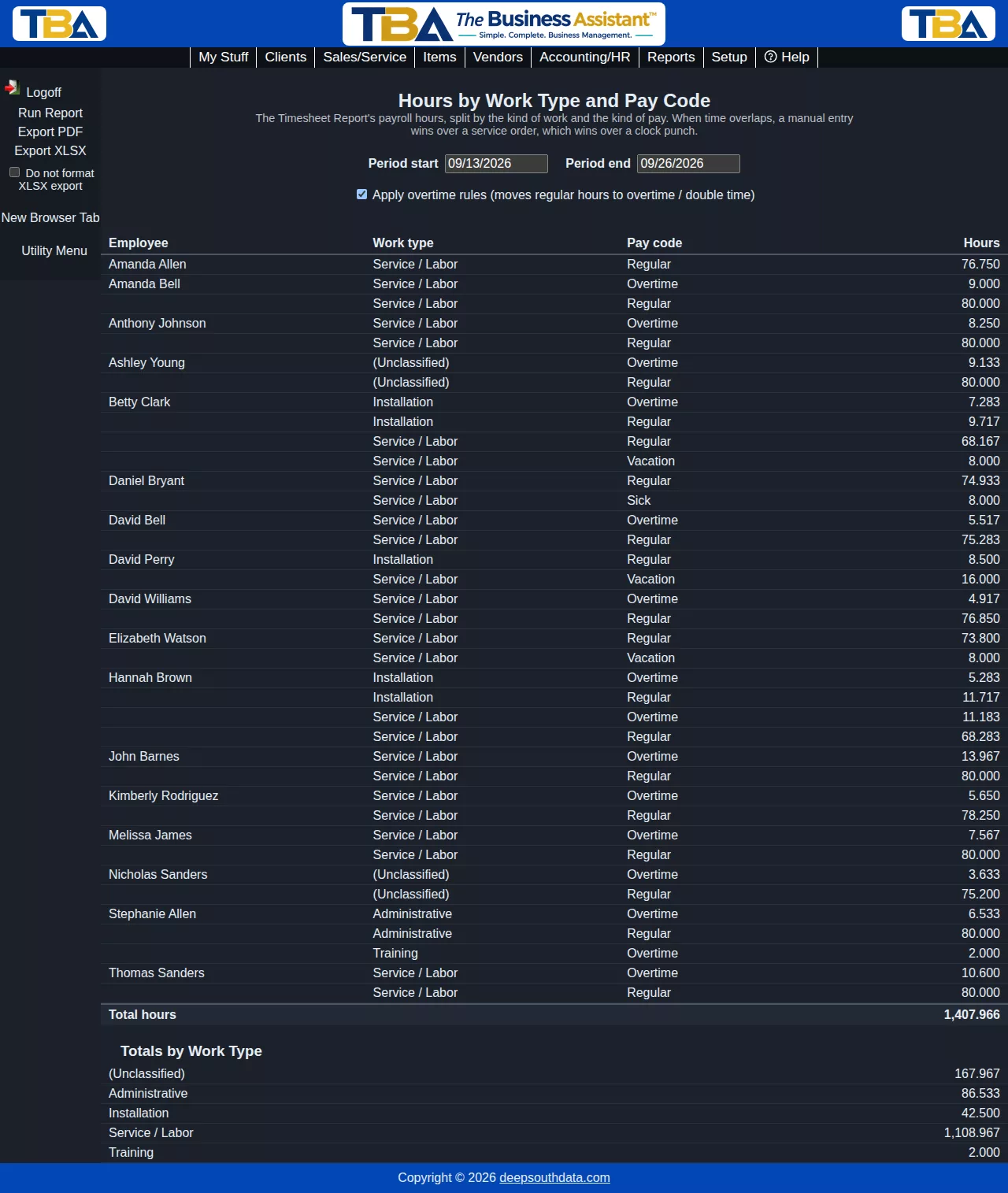
The Hours by Work Type and Pay Code report (Reports > HR Reports > Hours by Work Type) shows each employee’s payroll hours for a period split by the kind of work and the kind of pay. The hours are the same reconciled hours as the Timesheet Report. It needs payroll report permission.
Running it #
- Enter the Period start and Period end.
- Tick Apply overtime rules if you want regular hours moved to overtime / double time according to each employee’s overtime rule.
- Click Run Report in the sidebar.
Each line is an employee, a work type, a pay code and the hours. Below the list, Totals by Work Type adds up each work type across all employees. Hours with no work type show as (Unclassified); set each employee’s default work type on their Payroll tab to avoid that.
How hours are classified #
- Manual time entries carry the work type and pay code chosen on the entry.
- Clocked and service order time carry the employee’s default work type and the Regular pay code.
- When sources overlap, a manual entry wins over a service order, which wins over a clock punch.
Drilling down #
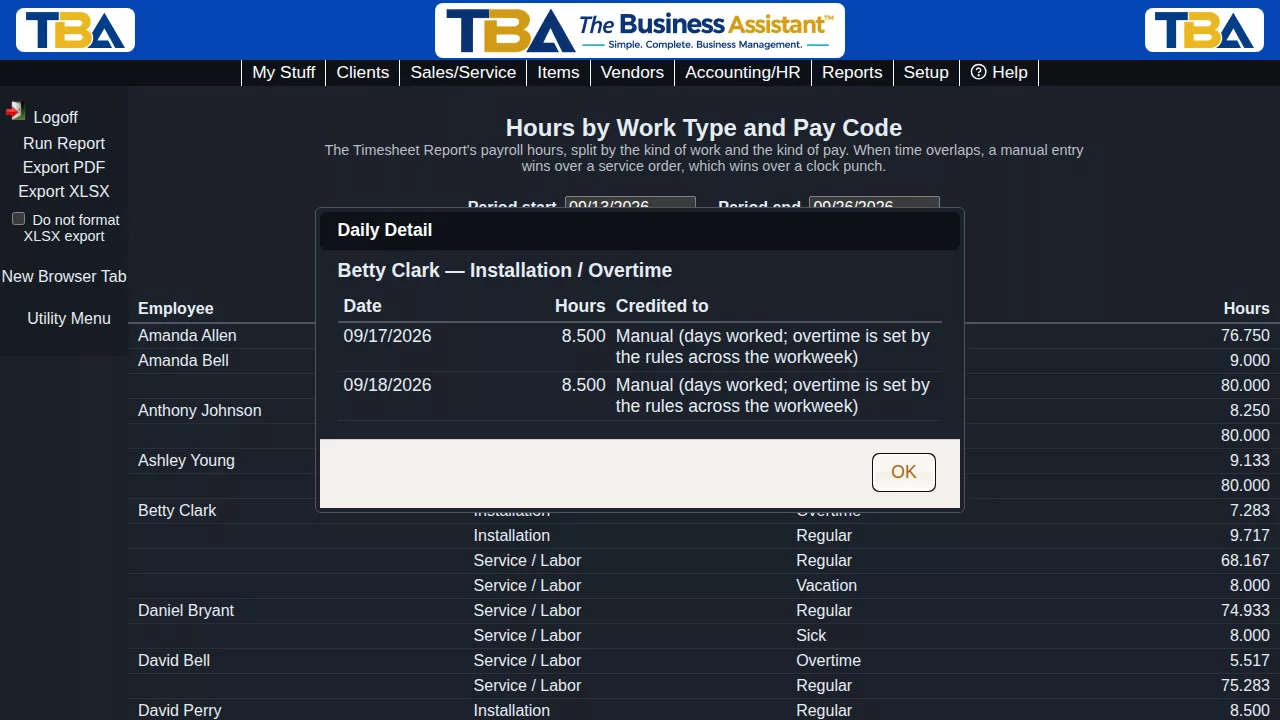
- Click a line to see the days that line’s hours came from, and what they were credited to (Manual, Service Order, Clocked). With overtime rules applied, an overtime line shows the days worked, because overtime is set across the workweek.
- Click a day to open that employee’s day in the Time Tracking Calendar.
- Click a work type under Totals by Work Type to see who worked it.
Export PDF and Export XLSX in the sidebar produce the report with its totals.