
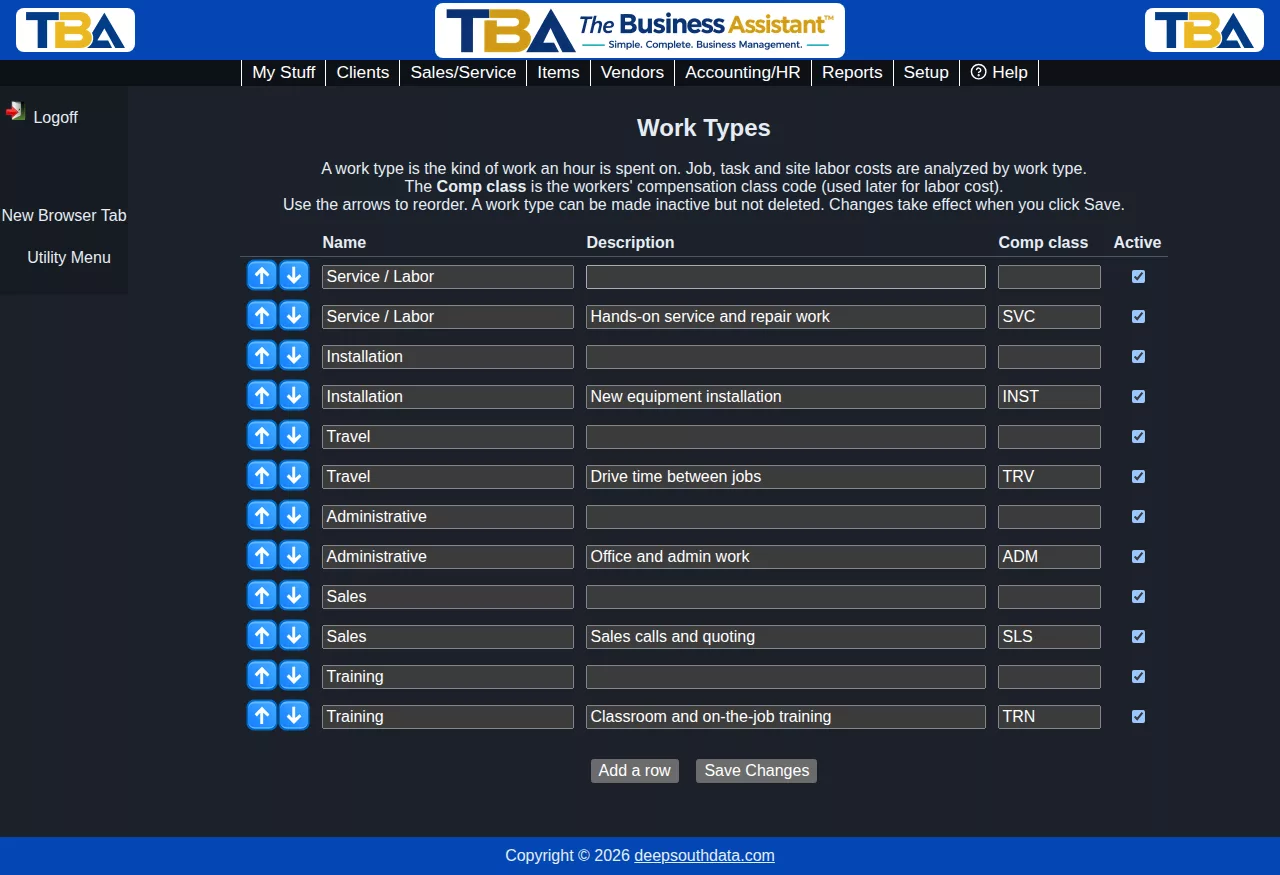
A work type is the kind of work an hour was spent on, such as Service / Labor, Installation, Travel, Administrative, Sales or Training. Work types let you see how much labor each kind of work really costs. Setup > Company > Work Types is where you manage the list.
The first time the page is opened, TBA adds Service / Labor, Installation, Travel, Administrative, Sales and Training. Change them to fit your business.
The grid #
- Name – what people see.
- Description – an optional note.
- Comp class – the workers’ compensation class code for this kind of work. It is kept for the labor cost reporting to come.
- Active – a work type can be made inactive but not deleted.
Use the arrows to reorder; Add a row adds a new one; Save Changes saves the whole list.
How work types get onto hours #
- Manual time entries have a Work type field. Leaving it on (employee’s default) uses the employee’s default work type.
- Clocked time and service order time take the employee’s Default work type from the Payroll tab of their personnel record. Hours with no work type anywhere show as (Unclassified) in reports.
- When time from different sources overlaps, a manual entry wins over a service order, which wins over a clock punch – so the same hour is never counted twice.
- An employee can have a different hourly rate for each work type (see Personnel).
See the Hours by Work Type report to see hours split this way.


