
A pay plan works out commission, a bonus, or a per-job amount for you, so nobody has to type it into each pay run. You define the plan once, say who it applies to, and every pay run adds the amount as its own line when it is calculated.
Find it under Setup > HR > Pay Plans. You need the payroll permission that lets you view (to look) or modify (to change) payroll data.
The Plan List #
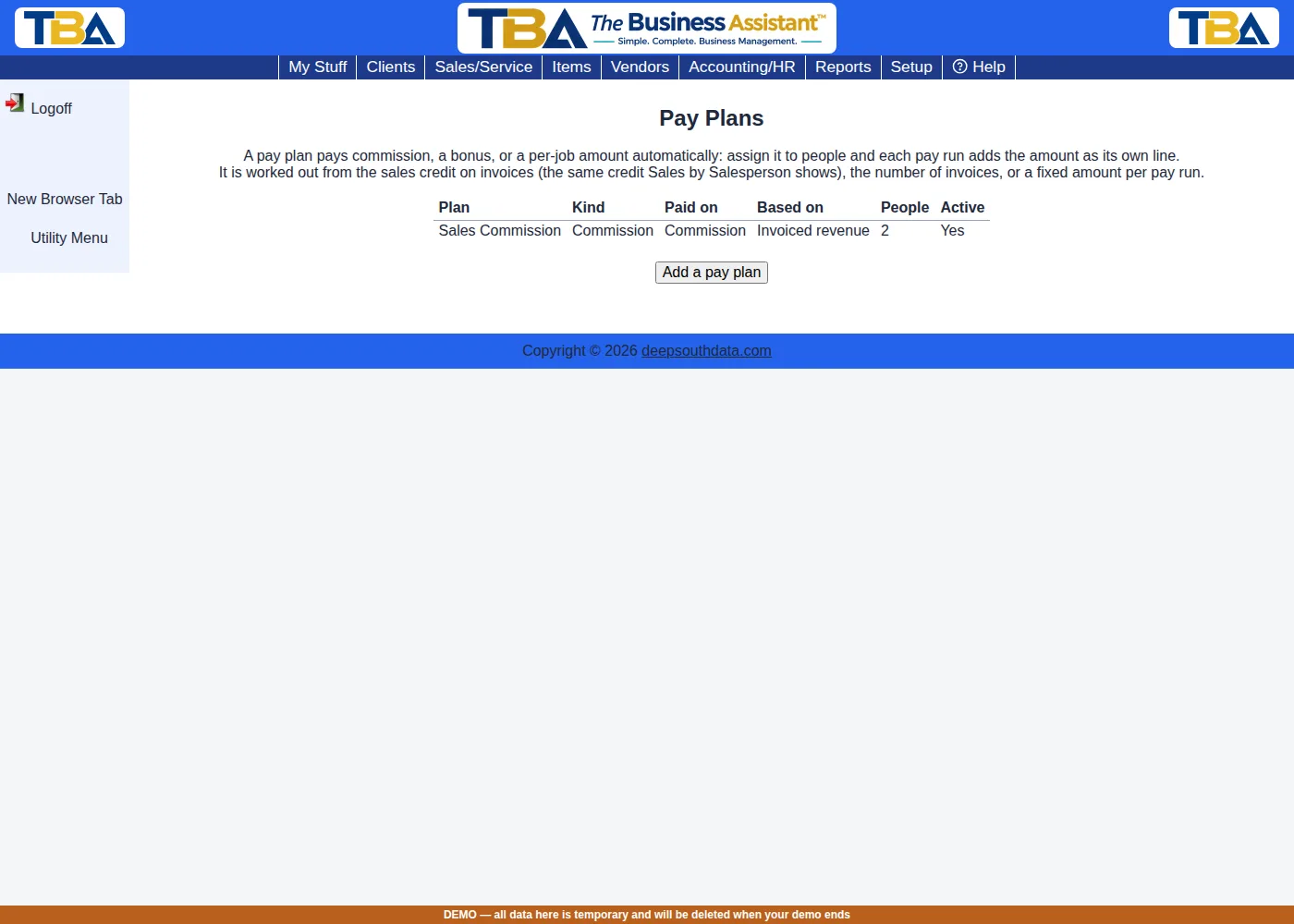
The list shows each plan’s name, kind, the pay code it is paid on, what it is based on, how many people and groups are on it, and whether it is active. Click a plan to open it, or click Add a pay plan.
A Plan’s Settings #
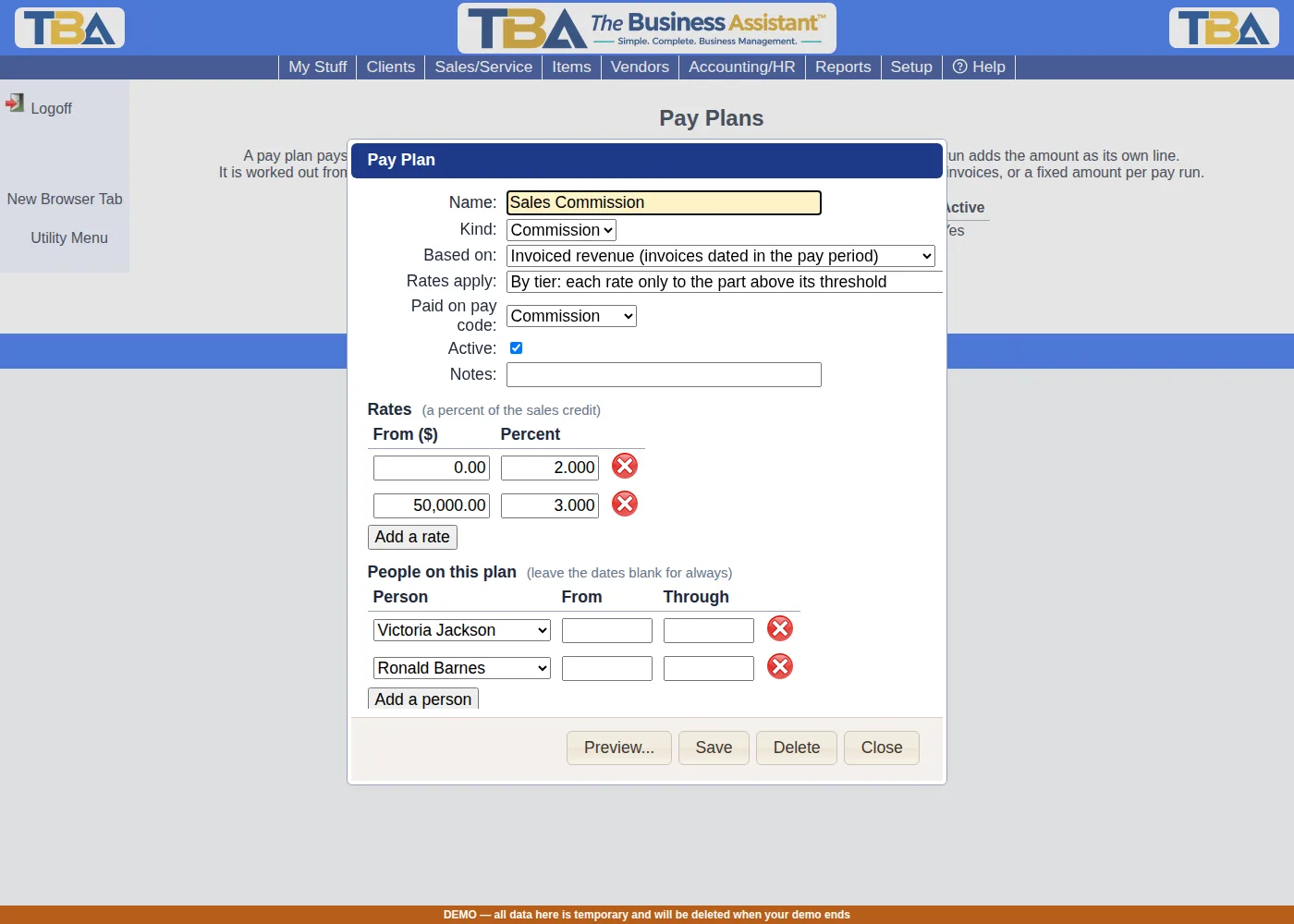
- Name — what you call it, e.g. “Sales Commission”.
- Kind — Commission, Bonus, or Per job. This is a label that also starts the line’s note (“Commission: Sales Commission on …”); the calculation is set by the next three fields.
- Based on — what the plan measures:
- Invoiced revenue — each person’s sales credit on invoices dated within the pay period. The credit is the invoice’s pre-tax subtotal times that person’s sales-credit percent, the same credit the Sales by Salesperson report shows.
- Collected revenue — the same credit, but only the part of each invoice that was paid within the pay period (a half-paid invoice earns half the credit). Voided invoices and voided payments are left out.
- Number of invoices — how many invoices were credited to the person in the period; paid at a set amount per invoice (a “per job” plan).
- A fixed amount per pay run — one amount each run, such as a flat bonus or allowance.
- Rates apply — how the rates are used:
- The same rate to everything — one rate.
- By tier (marginal) — each rate applies only to the part of the amount at or above its threshold.
- By tier, retroactive — the highest tier reached applies to all of the amount. Below the first threshold nothing is paid.
- Paid on pay code — the pay code the amount is booked on (usually Commission, Bonus or Per Job / Task), which is also what goes to your payroll service. See Pay Codes Setup.
- Active — an inactive plan pays nothing.
- Notes — for your own reference.
Rates #
The rates grid has a From and a rate on each line. What they mean depends on Based on:
- Revenue plans — From is a dollar amount, the rate is a percent (2 means 2%, up to three decimals).
- Number of invoices — From is a count of invoices, the rate is dollars per invoice.
- Fixed — one amount, dollars per pay run.
Example (by tier). 2% on the first $50,000 and 3% above it, with $80,277.89 of invoiced credit in the period: 2% of $50,000 is $1,000.00, plus 3% of the other $30,277.89, $908.34, for $1,908.34. Made retroactive, the same plan pays 3% of the whole $80,277.89, $2,408.34.
People on the Plan #
Add each person who earns under the plan. The From and Through dates are optional; leave them blank for “always”. A person is paid for the part of a pay period their assignment covers. Only employees are listed: a vendor credited on an invoice is paid through Bills, as before. An employee needs a Payroll tab (see Personnel) to be paid on a pay run; otherwise the run’s warnings say their plan pay was left out.
Groups on the Plan #
Instead of adding people one at a time, assign the plan to a personnel group (for example Sales). Under Groups on this plan, click Add a group and choose it; the optional From and Through dates work the same way. Everyone who is in the group is covered, and people who join the group later are covered automatically.
- The section appears once you have personnel groups (see Personnel).
- Someone covered more than once at the same time, say by their name and by the group, is paid once.
- Group membership is the group as it is today. When you calculate an earlier pay period, the plan pays whoever is in the group now.
Preview #
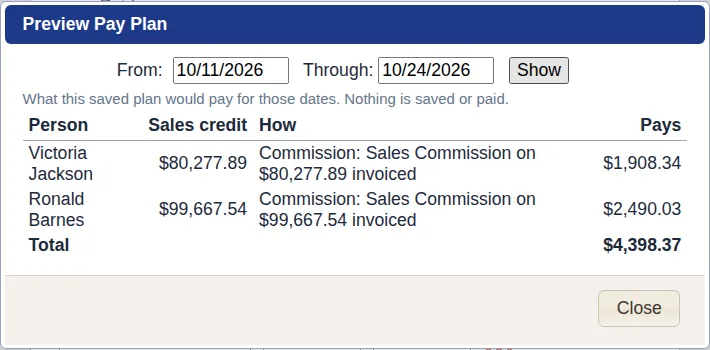
Open a saved plan and click Preview…. Choose the first and last day and click Show: you see each covered person’s sales credit (or invoice count), the amount they would be paid, and how it was worked out. Nothing is saved or paid, so use it to check a plan against real invoices before relying on a pay run.
On a Pay Run #
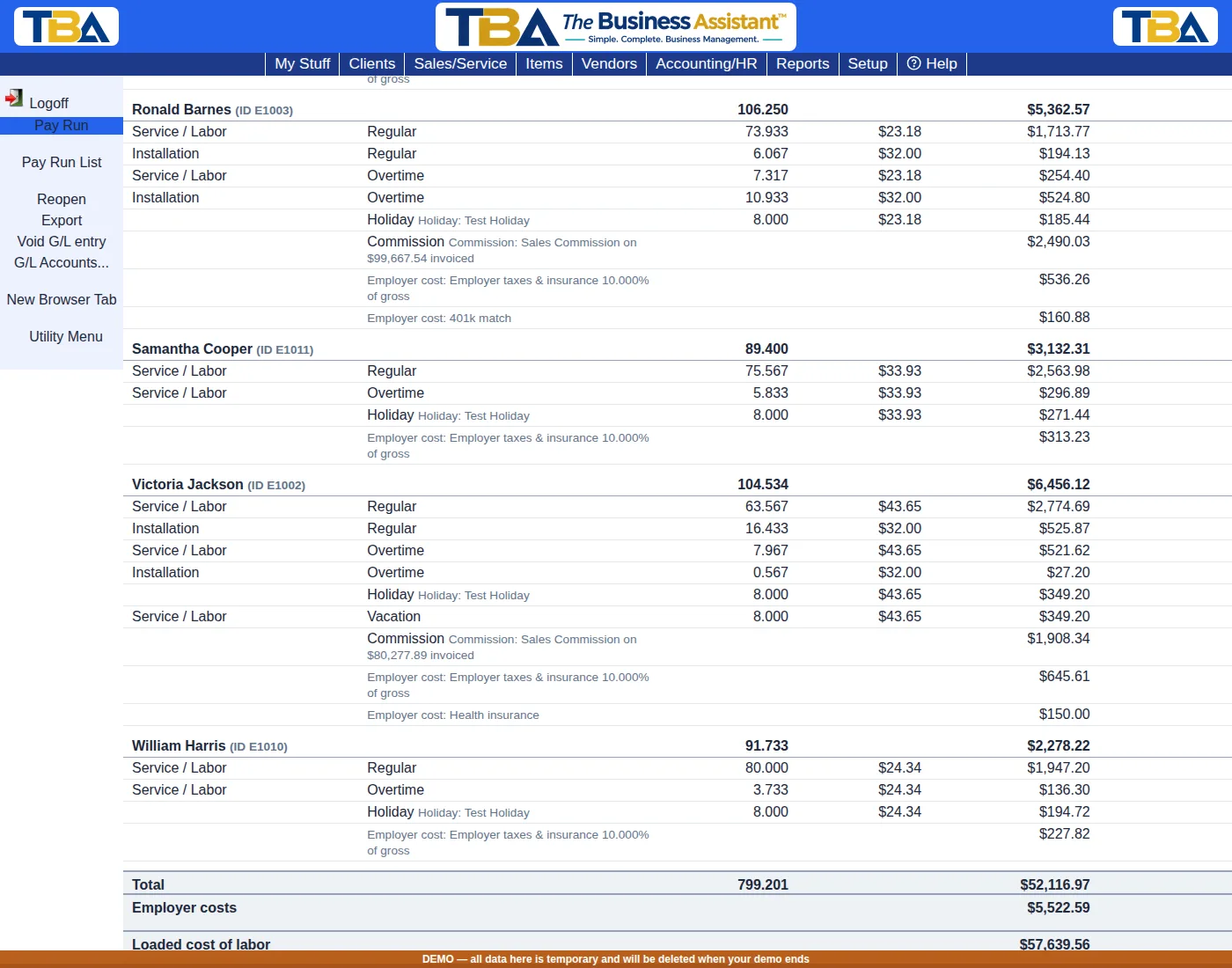
When a pay run is created or Recalculated, each person on an active plan gets a line for the run’s period, on the plan’s pay code, with a note such as “Commission: Sales Commission on $80,277.89 invoiced”. These lines are rebuilt every time you recalculate, and they are exported to your payroll service like any other earnings. They also count toward the person’s gross and toward any employer costs that are a percent of gross.
Things to Know #
- Change a plan and the pay runs already approved keep their lines; draft runs pick the change up when recalculated.
- Deleting a plan never changes a pay run that already used it.
- A person with no sales credit in the period earns nothing, and no line is made.


