
Gross pay is only part of what an employee costs, and part of it never reaches their paycheck. Benefits, Deductions and Labor Burden lets you record both, so each pay run can show the loaded cost of labor (gross pay plus the employer’s costs) and what is being deducted from each person’s pay.
Find it under Setup > HR > Benefits & Burden. You need the payroll permission to view (to look) or modify (to change).
Employer costs are costs, not pay. They never change anyone’s gross pay, they are not sent to your payroll service, and they are not part of the pay run’s Total. Taxes themselves are still worked out by your payroll service; this page holds your own numbers for costing. Deductions are information only, described below.
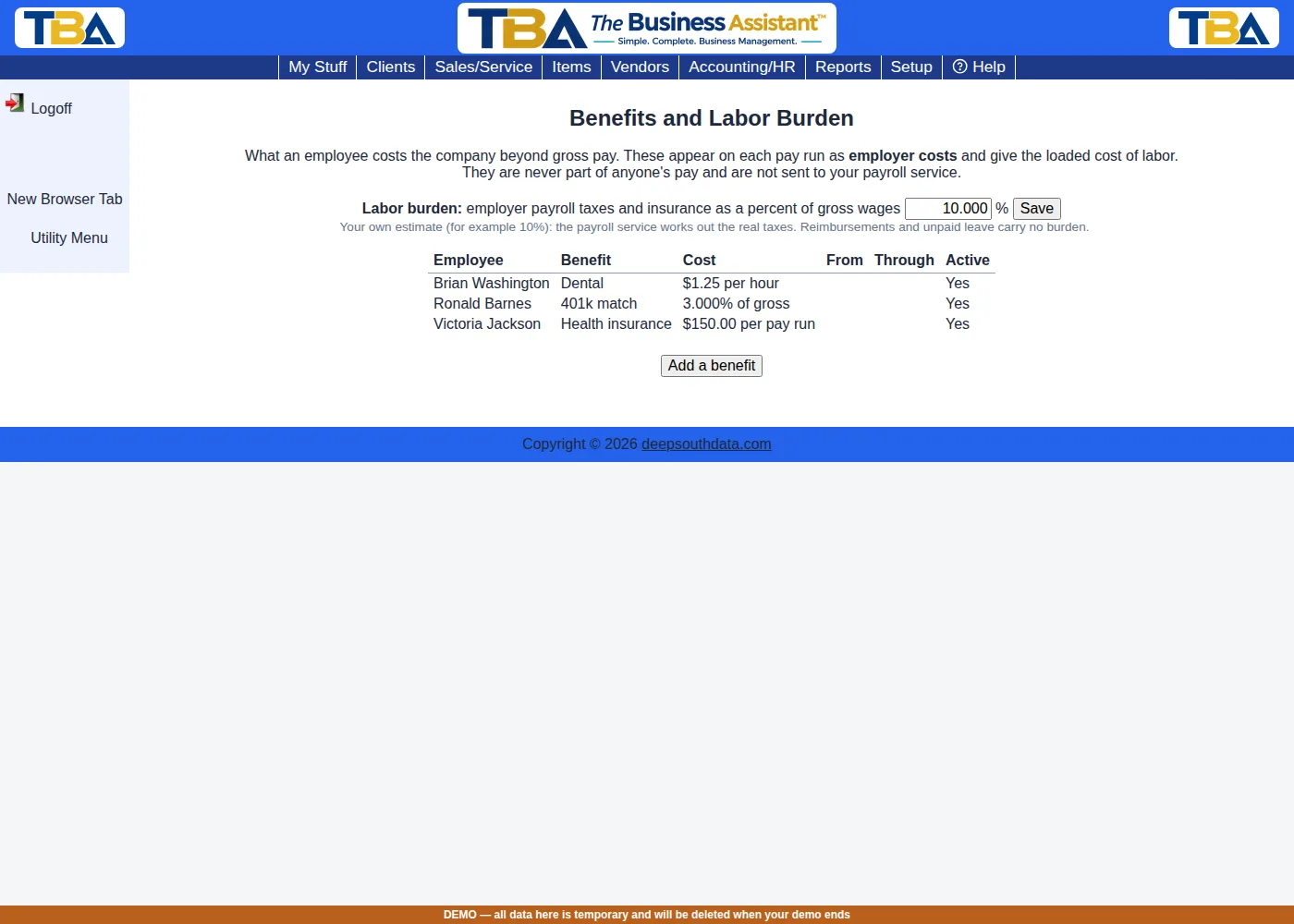
Labor Burden #
The labor burden is one company-wide percentage of gross wages for employer payroll taxes and insurance (for example 10%). Type it, click Save, and every pay run adds a line for each person: their gross wages times the percentage. Reimbursements and unpaid leave are not wages and carry no burden. Leave it at 0 to use none.
Benefits (employer pays) #
Each benefit belongs to one employee. Click Add a benefit or deduction (or click a line to change it):
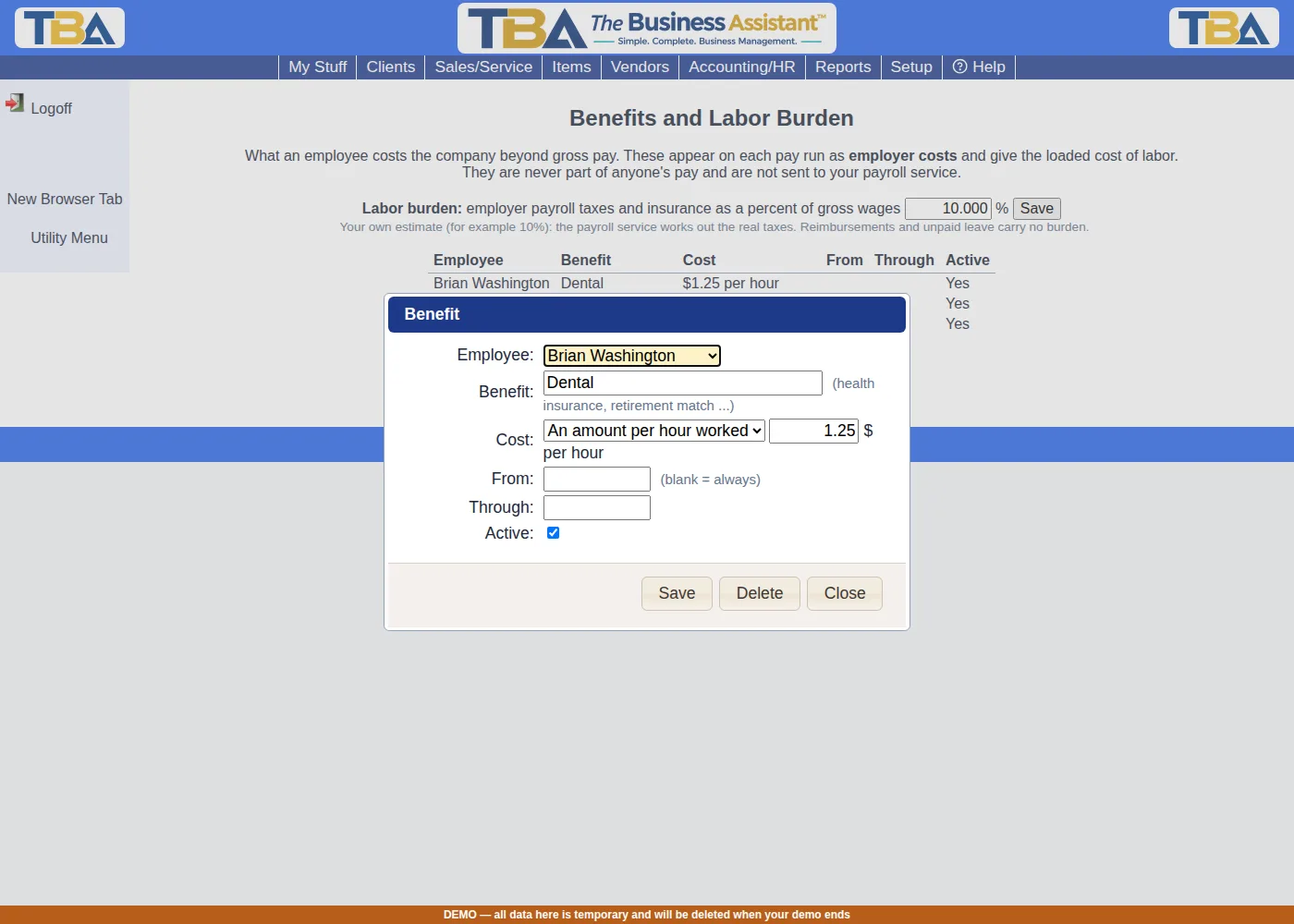
- Employee and Name (what it is called: health insurance, retirement match, dental …).
- Cost, under Employer pays — one of three ways:
- A flat amount each pay run — e.g. $150.00 per run.
- A percent of gross wages — e.g. a 3% retirement match on that person’s gross for the run.
- An amount per hour worked — e.g. $1.25 per hour. This uses the hours on the person’s pay lines, so a salaried employee (whose salary line has no hours) gets nothing for a per-hour benefit.
- From / Through — optional dates; it applies to the pay runs that overlap them.
- Active — an inactive line is skipped.
Employee Deductions #
A deduction is something that comes out of the employee’s pay: their share of a health premium, a retirement contribution. Add one the same way as a benefit, but choose a Cost under Deducted from the employee’s pay:
- A flat amount each pay run — e.g. $50.00 per run for a health premium.
- A percent of gross wages — e.g. 5% as a 401(k) contribution.
Deductions are information. Your payroll service does the actual withholding; TBA lists what you have set up so you can see it. They are not pay lines, so they never change the gross, the export, the general ledger or any report. A deduction is never more than what the person is paid in that run, and someone with no pay on the run has no deduction.
On a Pay Run #
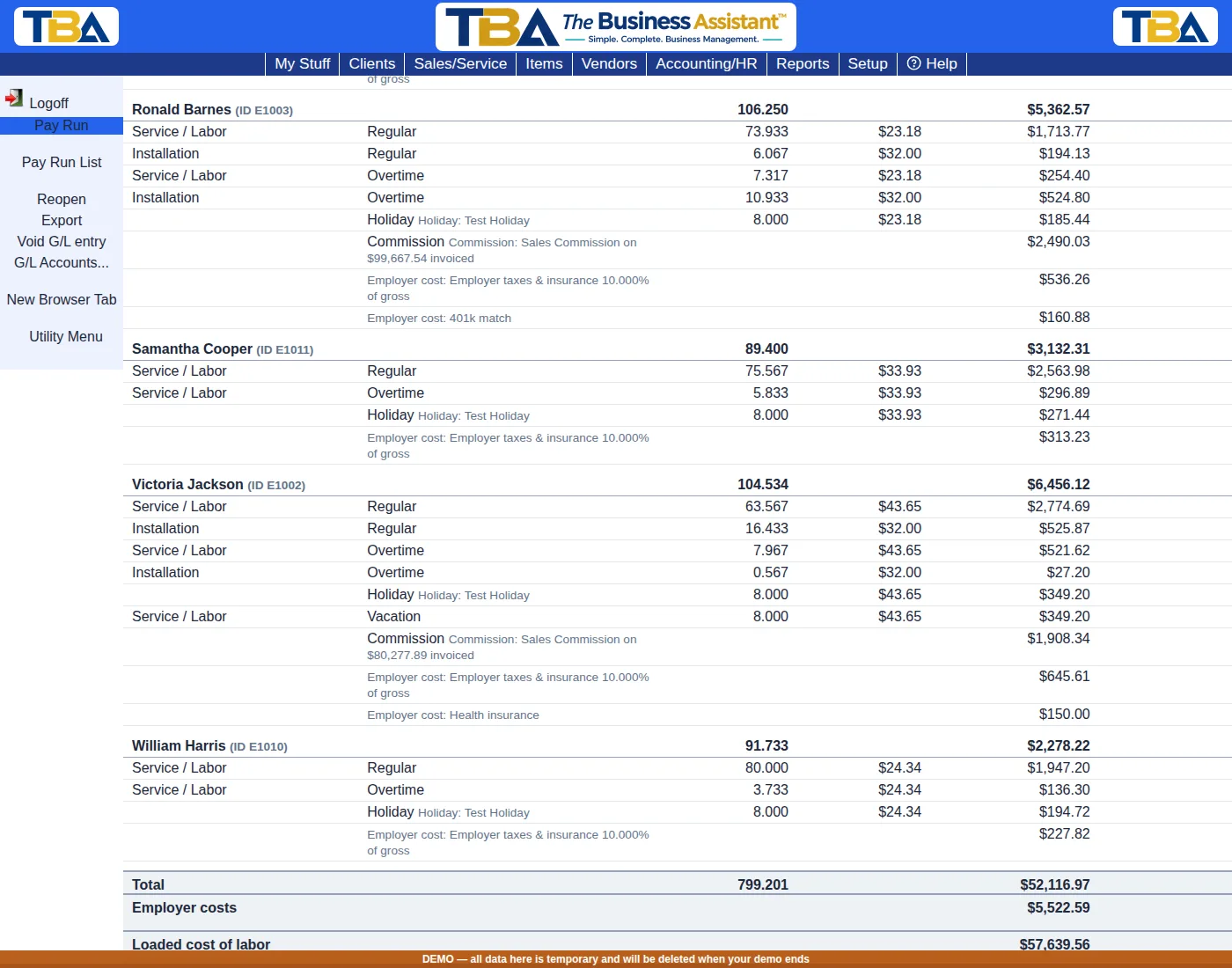
Under each person you see grey Employer cost lines (the burden, then each benefit). At the bottom, below Total (gross pay), the run shows Employer costs and the Loaded cost of labor. Below that, Employee deductions lists each person’s deductions with a total, marked as withheld by your payroll service. The employer cost lines are rebuilt every time you Recalculate, and also when you add or remove a line by hand (the person’s gross changed). Changing the burden, a benefit or a deduction is picked up the next time a draft run is recalculated.
Approved runs keep what they had. When you approve a run its deductions are frozen; editing a deduction later does not change that run, and reopening the run to a draft shows the current deductions again.
The General Ledger #
When you Post to G/L on a pay run, the gross pay is booked as before. If you chose an Employer costs expense account in G/L Accounts… on the pay run, the entry also books the employer costs: a debit to that account for each cost, and a credit to payroll liabilities for the total. Leave the account blank and employer costs are not posted (the run tells you so). Deductions are never posted. See Pay Runs.


